
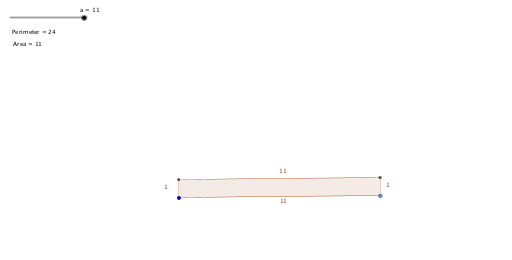
Rectangle with a perimeter of 24
Loading the math board and drawing, please wait…
This example demonstrates a rectangle with a perimeter of 24, showing how its area and perimeter change dynamically as the length and width are adjusted. Key math concepts include perimeter, area, coordinate geometry, linear equations, and function graphing. Constructed using GeoGebra commands like Circle, Point, Segment, OrthogonalLine, Intersect, and Polygon. Suitable for high school students learning geometric properties, function graphing, and parametric equations.
GeoGebra Commands & Parameters
Circle(A, a) → cPoint(c) → BSegment(A, B) → fOrthogonalLine(B, f) → gCircle(B, b) → dIntersect(d, g, 2) → CSegment(C, B) → hOrthogonalLine(C, h) → iOrthogonalLine(A, f) → jIntersect(i, j) → DPolygon(A, B, C, D) → Area, a_1, b_1, c_1, d_1
AI Drawing Prompt Reference
Draw a rectangle with a perimeter of 24, and observe how its area changes as you adjust the length and width. Start by setting a point A on the coordinate plane, then draw a circle with A as the center, and take a point B on the circle. Connect A and B, then draw a perpendicular line to AB through B. Draw another circle with B as the center, and take a point C from the intersection of the two circles. Connect B and C, then draw a perpendicular line to BC through C. Draw a line perpendicular to AB through A, and take a point D from the intersection of this line and the BC perpendicular line. Finally, connect A, B, C, and D to form a rectangle.
The prompt above was compiled from the original drawing commands and is for reference only.