
Rectangle Properties and Geometric Construction by kjmillikan
Loading the math board and drawing, please wait…
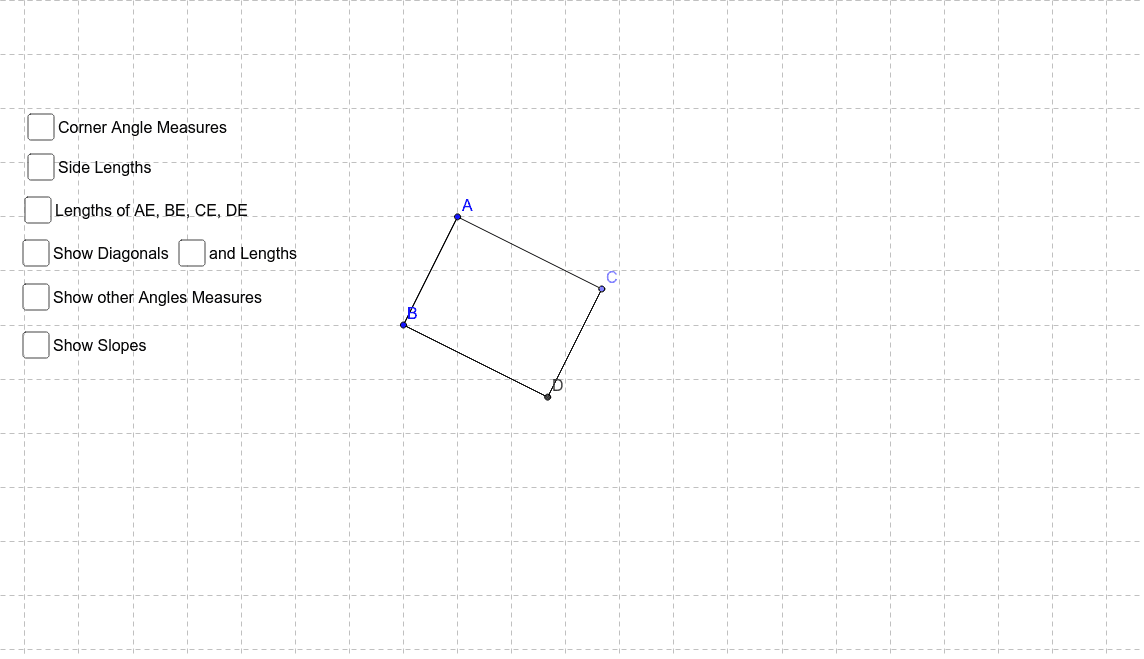
This example demonstrates the properties of a rectangle and its geometric construction. Key mathematical concepts include the definition of a rectangle, relationships between side lengths, properties of diagonals, and angle calculations. Construction involves using GeoGebra commands such as Segment, OrthogonalLine, Point, Intersect, Angle, Distance, and Slope to create the rectangle and compute distances, angles, and slopes. Suitable for middle or high school mathematics education to understand the application of rectangles in plane geometry.
GeoGebra Commands & Parameters
Segment(A, B) → aOrthogonalLine(B, a) → bOrthogonalLine(A, a) → cPoint(c) → COrthogonalLine(C, c) → dIntersect(d, b) → DSegment(A, C) → eSegment(C, D) → fSegment(D, B) → gSegment(A, D) → hSegment(B, C) → iIntersect(h, i) → EAngle(B, A, C) → αAngle(D, B, A) → βAngle(C, D, B) → γAngle(A, C, D) → δDistance(A, C) → distanceACDistance(A, B) → distanceABDistance(B, D) → distanceBDDistance(D, C) → distanceDCDistance(E, A) → distanceEADistance(C, E) → distanceCEDistance(E, D) → distanceEDDistance(E, B) → distanceEBDistance(A, D) → distanceADDistance(C, B) → distanceCBAngle(D, A, C) → εAngle(B, A, D) → ζAngle(C, B, A) → ηAngle(D, B, C) → θAngle(A, D, B) → ιAngle(C, D, A) → κAngle(B, C, D) → λAngle(A, C, B) → μAngle(C, E, A) → νAngle(B, E, D) → ξAngle(D, E, C) → οAngle(A, E, B) → ρSlope(e) → m_1Segment(B, D) → pSlope(p) → m_4Segment(B, A) → qSegment(D, C) → rSlope(q) → m_2Slope(r) → m_3
AI Drawing Prompt Reference
Draw a rectangle to demonstrate its side length relationships, diagonal properties, and angle calculations. Start by drawing one side, then draw perpendicular lines from both ends to form the adjacent sides, completing the rectangle. Next, calculate the lengths of the diagonals, the distances from the intersection of the diagonals to each vertex, and label the four interior angles. Finally, compute and display the slopes of the sides and diagonals to reveal geometric properties.
The prompt above was compiled from the original drawing commands and is for reference only.