
Rectangle Net
Loading the math board and drawing, please wait…
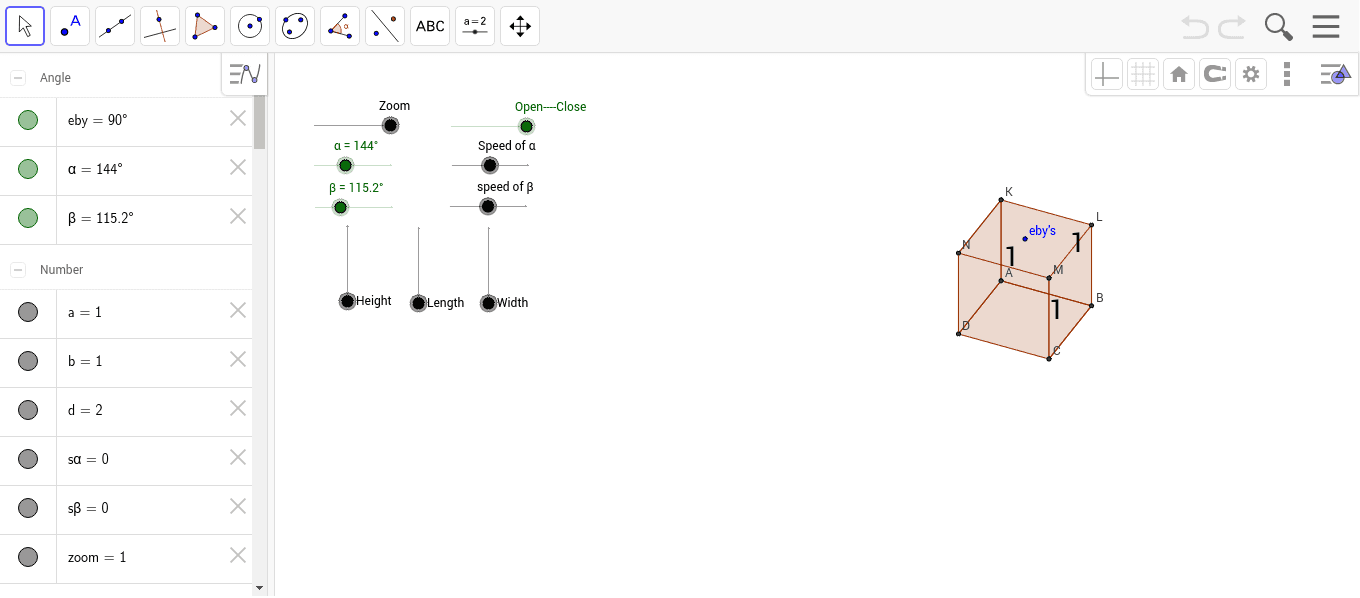
This example demonstrates how to dynamically construct a rectangle's net, showcasing geometric transformations and spatial reasoning. It involves core concepts like polygons, midpoints, angles, sine theorem, right triangles, and trapezoids. Constructed using GeoGebra commands like Polygon, Midpoint, and Text, it is suitable for high school mathematics education.
GeoGebra Commands & Parameters
Polygon(N, K, L, M) → poly1, k, l, m, nPolygon(N, D, C, M) → poly2, k_1, p, q, n_1Polygon(K, L, S, R) → poly3, l_1, m_1, s, rPolygon(M, V, W, L) → poly4, n_2, v_1, w_1, m_2Polygon(N, T, U, K) → poly5, k_2, t, u_1, l_2Polygon(B, C, D, A) → poly6, b_1, q_1, p_1, a_1Midpoint(N, M) → EText(b, E) → text1Midpoint(L, M) → FText(a, F) → text2Midpoint(C, M) → GText(d / 2, G) → text3
AI Drawing Prompt Reference
Draw a rectangle's net dynamically, showing geometric transformations. Include multiple polygons, midpoints, and angles, with key lengths halved labeled, demonstrating spatial geometry and trigonometry, suitable for high school math education.
The prompt above was compiled from the original drawing commands and is for reference only.