
Rectangle Area with Strips
Loading the math board and drawing, please wait…
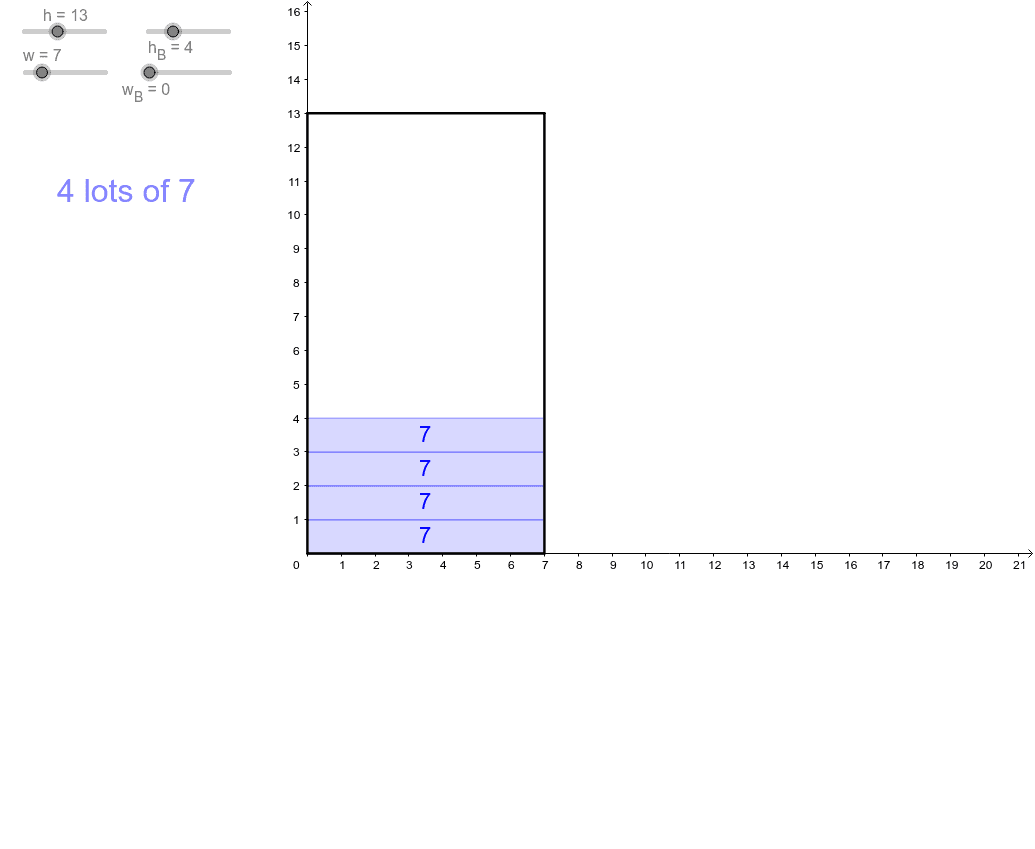
This example demonstrates the calculation of a rectangle's area by dividing it into multiple strips. Key mathematical concepts include the area calculation of a rectangle and the principle of division. It uses GeoGebra commands like Polygon and Sequence to construct the rectangle and strips. Suitable for middle school and above students to learn area calculation and geometric construction.
GeoGebra Commands & Parameters
Polygon(A, (w, 0), (w, h), (0, h)) → Rectangle, a, b, c, dSequence(Polygon[(i - 1, 0), (i, 0), (i, h), (i - 1, h)], i, 1, w_B) → WidthBlocksSequence(Polygon[(0, j - 1), (0, j), (w, j), (w, j - 1)], j, 1, h_B) → HeightBlocksSequence((MeanX[{(0, j - 1), (w, j)}] - 0.2, MeanY[{(0, j - 1), (w, j)}] - 0.2), j, 1, h_B) → HeightMeansSequence((MeanX[{(i - 1, 0), (i, h)}] - 1 / 3, MeanY[{(i - 1, 0), (i, h)}] - 0.2), i, 1, w_B) → WidthMeansSequence(Text[h, Element[WidthMeans, k]], k, 1, w) → WidthLabelsSequence(Text[w, Element[HeightMeans, k]], k, 1, h) → HeightLables
AI Drawing Prompt Reference
Draw a rectangle and divide it into multiple strips horizontally and vertically. First, draw the rectangle, then use horizontal strips to represent the width and vertical strips to represent the height. Next, mark the mean values of width and height at the center of each strip. Finally, add labels for width and height at the center of each strip.
The prompt above was compiled from the original drawing commands and is for reference only.