
Ratios and Fractions
Loading the math board and drawing, please wait…
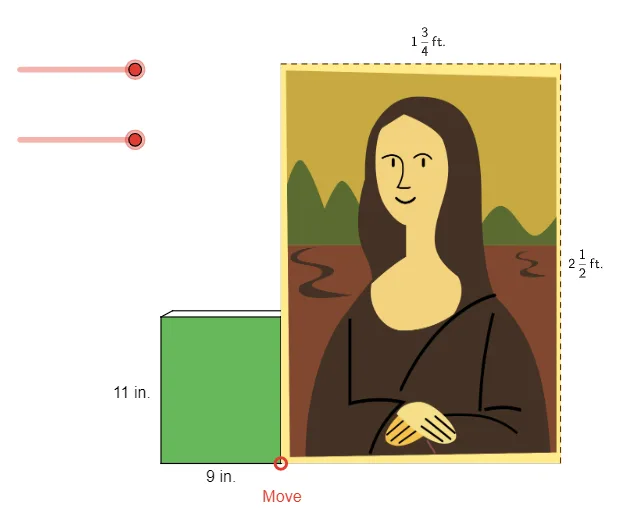
This example demonstrates how to handle ratios and rates with fractions using GeoGebra. It involves core math concepts such as fraction operations and ratio relationships. By using commands like Point, Intersect, Polygon, users can construct geometric figures and explore the properties of fractional ratios. Suitable for middle school math education.
GeoGebra Commands & Parameters
Point(yAxis) → D_1Intersect(xAxis, yAxis) → A_1Point(xAxis) → B_1Polygon(A_1, B_1, C_1, D_1) → book, a_1, b_1, c_1, dPointIn(book) → PSegment(B_1, M) → fSegment(C_1, M) → gSegment(D_1, M) → h_1Point(g) → NLine(N, c_1) → iLine(N, b_1) → jIntersect(i, h_1) → LIntersect(j, f) → OSegment(D_1, L) → kSegment(L, N) → lSegment(N, C_1) → mSegment(O, B_1) → nSegment(O, N) → pRay(P, G) → qDilate(F, a_2, P) → DDilate(K, b_2, P) → BLine(B, i) → rLine(D, j) → tIntersect(r, t) → CSegment(B, C) → aSegment(C, D) → bIntersect(a_1, b_1) → IPolygon(I, F_2, G_2, K_2) → MonaLisa, i_1, f_2, g_2, k_2Midpoint(f_2) → JMidpoint(g_2) → P_1
AI Drawing Prompt Reference
Draw a rectangle ABCD with A at the origin, B on the x-axis, and D on the y-axis. Take a point M on CD, and draw lines MA, MB, and MC. On MB, take a point N, and draw a line through N parallel to MC that intersects MA at L, and a line through N parallel to MB that intersects MC at O. Draw DL, LN, NC, ON, OB, ON, and OP. From P, draw a ray that intersects DL at G, and draw circles with P as the center and G and F as radii, intersecting DL at F and K respectively. Draw BF and DK, which intersect at C. Draw BC, which intersects AD at I. Draw a circle with I as the center and F as the radius, intersecting BC at F2 and DK at G2, and intersecting BI at K2. Draw F2G2K2, and find the midpoints of F2 and G2 as J and P1 respectively.
The prompt above was compiled from the original drawing commands and is for reference only.