
Random Point Distribution in Rectangle
Loading the math board and drawing, please wait…
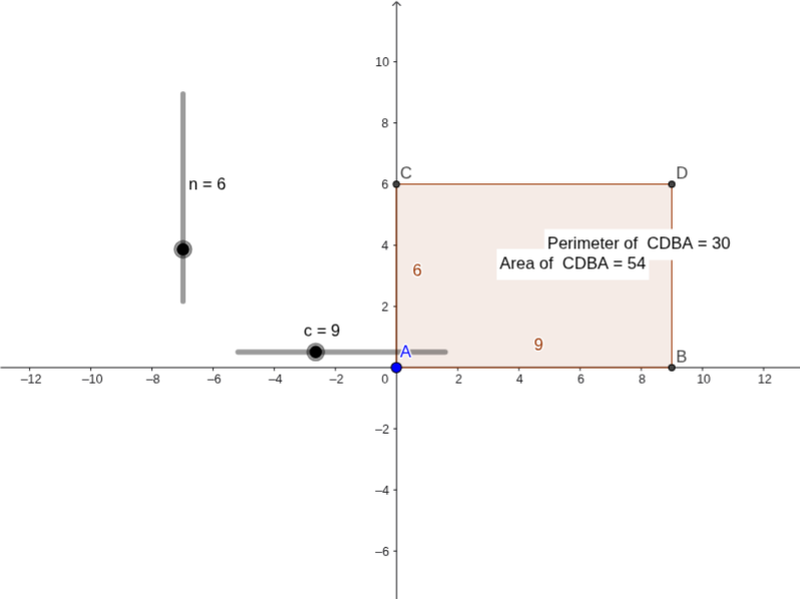
This example demonstrates the probability distribution of random points selected within a rectangle. The core mathematical concepts include geometric properties of rectangles, perimeter calculation, and probability analysis of random processes. Construction highlights: ①Use Polygon command to draw rectangle ABCD; ②Calculate rectangle perimeter with Perimeter command; ③Generate random points inside the rectangle using PointIn command; ④Observe statistical characteristics of point distribution possibly by controlling the number of random points with sliders. This example is suitable for secondary school mathematics teaching of probability and geometry, helping students understand the application of random simulation methods in geometric probability.
GeoGebra Commands & Parameters
Polygon(C, D, B, A) → poly1, c_1, d, b, aPerimeter(poly1) → perimeterpoly1PointIn(poly1) → Pointpoly1_1PointIn(poly1) → Pointpoly1
AI Drawing Prompt Reference
Please draw a rectangle formed by connecting four vertices in order, and display its perimeter. Then generate two random points inside the rectangle, ensuring both lie within the boundary, to visually demonstrate the distribution of random points in a rectangle and support geometric probability simulation. The construction should begin with the closed quadrilateral, then label the total perimeter, and finally place the two sample points so their positions can be compared across repeated simulations.
The prompt above was compiled from the original drawing commands and is for reference only.