
Pythagorean Theorem Geometric Illustration
Loading the math board and drawing, please wait…
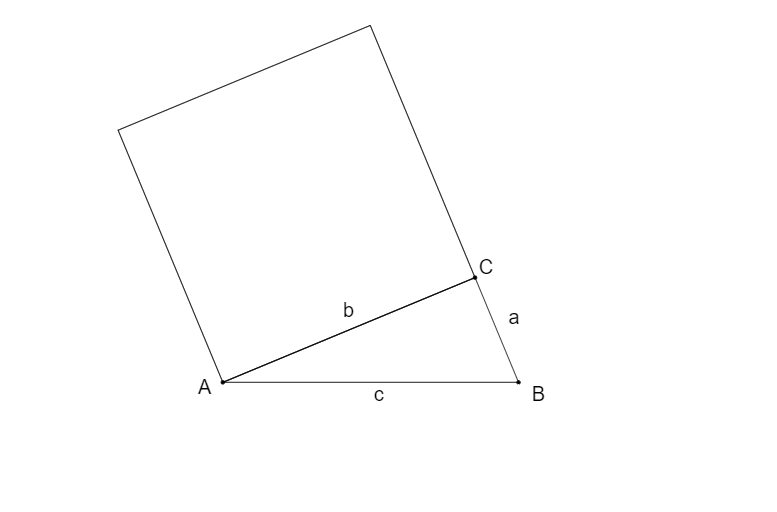
This GeoGebra example visually demonstrates the Pythagorean theorem (a² + b² = c²) through a dynamic geometric construction of a right triangle. Core concepts include right triangles, the relationship between leg lengths and the hypotenuse, and the theorem's geometric proof. The construction employs GeoGebra commands such as Segment, Semicircle, Point, and Polygon, enabling interactive point movement and semicircle intersections to illustrate the theorem. It is suitable for middle and high school mathematics education, helping students grasp the algebraic-geometric connection of the Pythagorean theorem via interactive visualization.
GeoGebra Commands & Parameters
Segment(A, B) → fSemicircle(A, B) → c_{2}Point(c_{2}) → CPolygon(A, B, C) → t1, c, a, bPolygon(A, C, 4) → mnohoúhelník1, g, h, i, j, D, E
AI Drawing Prompt Reference
Draw a right triangle with its hypotenuse as a horizontal segment. Construct a semicircle on the hypotenuse, and place the right-angle vertex on this semicircle. Connect the three vertices to form the triangle, labeling the sides. Then, using one leg and the right-angle vertex, construct a square outward from the triangle, adjacent to it. The figure illustrates the Pythagorean theorem geometrically, allowing the right-angle vertex to move dynamically while the semicircle and square adjust accordingly.
The prompt above was compiled from the original drawing commands and is for reference only.