
Pythagoras Theorem with Circles
Loading the math board and drawing, please wait…
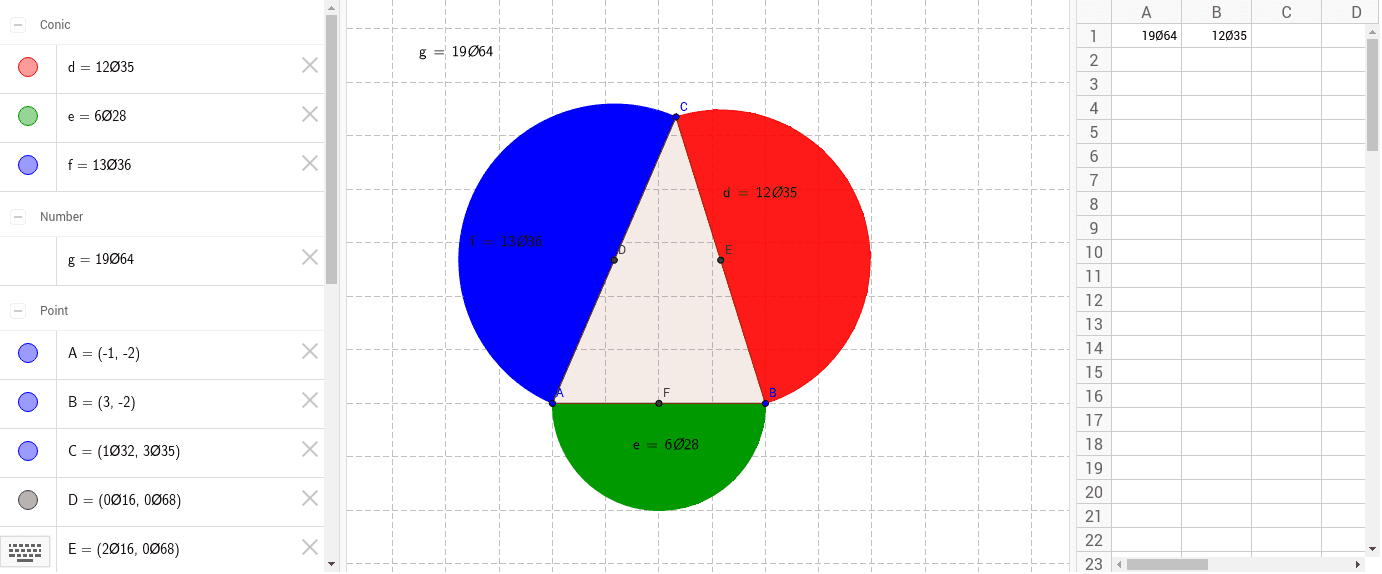
This example illustrates the Pythagorean theorem by constructing a right triangle and its circumscribed circle. Key mathematical concepts include right triangles, the Pythagorean theorem, and circle properties. It uses commands like Polygon, Midpoint, CircleSector, and LaTeX to create a dynamic right triangle, demonstrating the relationship between side lengths and the circle. Suitable for middle school and above students learning geometry and trigonometry.
GeoGebra Commands & Parameters
Polygon(A, B, C) → mangekant1, c, a, bMidpoint(b) → DMidpoint(a) → EMidpoint(c) → FCircleSector(E, B, C) → dCircleSector(F, A, B) → eCircleSector(D, C, A) → fLaTeX(f, true, true) → tekst1LaTeX(e, true, true) → tekst2LaTeX(d, true, true) → tekst3LaTeX(g, true, true) → tekst4
AI Drawing Prompt Reference
Draw a right triangle ABC with midpoints D, E, and F on sides BC, CA, and AB respectively. Draw an arc centered at E with endpoints B and C, another arc centered at F with endpoints A and B, and a third arc centered at D with endpoints C and A. Use LaTeX to label the corresponding central angles of these arcs.
The prompt above was compiled from the original drawing commands and is for reference only.