
Properties of a Rhombus by dgibson
Loading the math board and drawing, please wait…
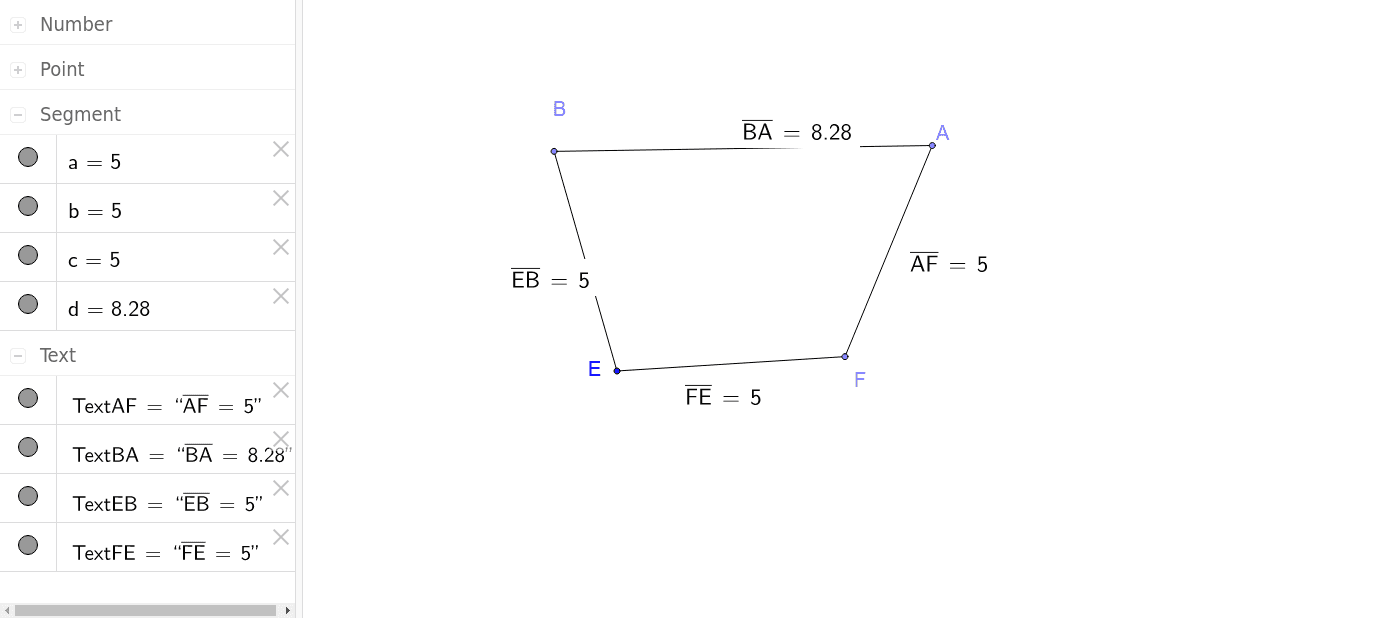
This example allows students to investigate the properties of a rhombus by adjusting the sides of a quadrilateral to make them all equal. Key mathematical concepts include the properties of a rhombus and its diagonals. Using GeoGebra commands such as Point, Segment, Distance, etc., students can observe and understand the geometric features of a rhombus. Suitable for middle school and above students to learn geometric construction and property exploration.
GeoGebra Commands & Parameters
Point(Circle[E, abs(5)]) → FSegment(E, F) → cSlope(c) → m_2Point(Circle[F, abs(5)]) → ASegment(F, A) → aPoint(Circle[E, abs(5)]) → BSegment(E, B) → bSlope(b) → mSlope(a) → m_1Segment(B, A) → dSlope(d) → m_3Distance(E, B) → distanceEBMidpoint(E, B) →Distance(B, A) → distanceBAMidpoint(B, A) →Distance(A, F) → distanceAFMidpoint(A, F) →Distance(F, E) → distanceFEMidpoint(F, E) →
AI Drawing Prompt Reference
Draw a rhombus by first creating a point E at the origin, then drawing two circles with radius 5 centered at E, and taking points F and A on these circles. Connect E to F, F to A, E to B, and B to A to form a quadrilateral. Then connect B to A, measure the lengths of each side and the diagonals, calculate the slopes of each side and diagonal, and observe the properties of the rhombus.
The prompt above was compiled from the original drawing commands and is for reference only.