
Program Car MNA
Loading the math board and drawing, please wait…
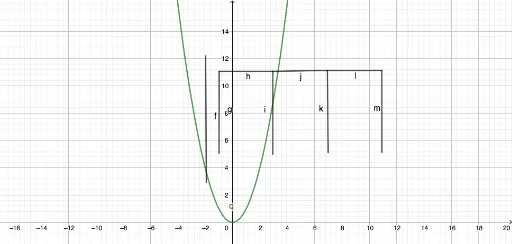
This example demonstrates how to construct geometric figures and loci related to a car using programming in GeoGebra. It involves core math concepts like coordinate geometry, functions, quadratic equations, and isosceles triangles. Construction highlights include using commands like Segment and Point. Suitable for high school students and teachers learning coordinate geometry, function graphs, and geometric constructions.
GeoGebra Commands & Parameters
Segment(A, B) → fSegment(C, D) → gSegment(D, E) → hSegment(E, F) → iSegment(E, G) → jSegment(G, H) → kSegment(G, I) → lSegment(I, J) → mPoint(yAxis) → KSegment(K, L) → nSegment(K, M) → p
AI Drawing Prompt Reference
Draw a car outline with two symmetrical body parts, each made up of multiple segments. Start by drawing the car's bottom, then draw the roof and windows. Finally, draw the wheels, which are made of two vertical segments.
The prompt above was compiled from the original drawing commands and is for reference only.