
Prism to Cylinder Transformation
Loading the math board and drawing, please wait…
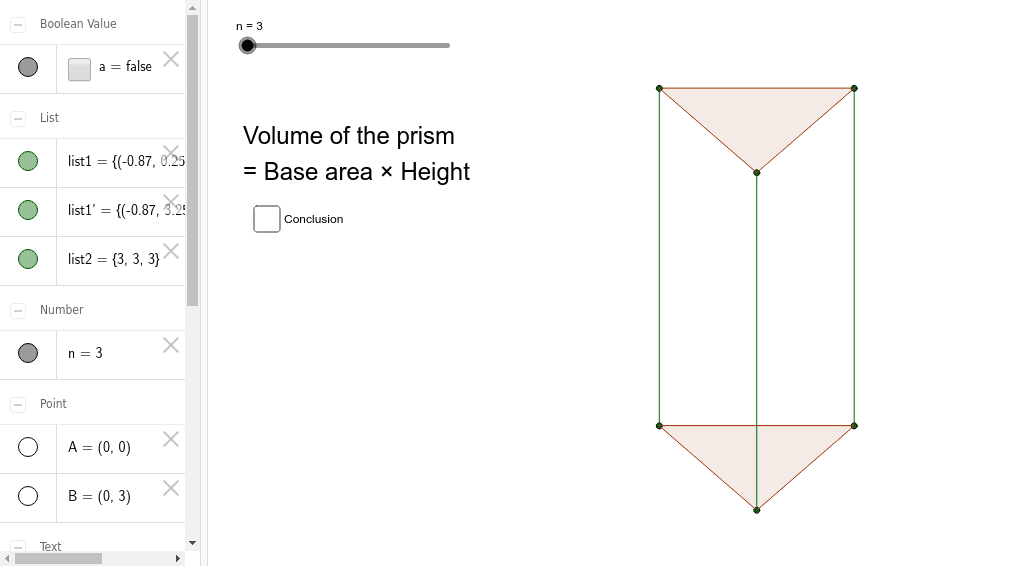
This example demonstrates how a prism morphs into a cylinder by dragging a slider, visually illustrating the transition between solid geometric shapes. Key math concepts include solid geometry, volume calculation, and geometric transformations. The construction utilizes GeoGebra commands like Sequence, Polygon, Vector, and Translate. It is suitable for high school students to understand the relationship between spatial geometric bodies and dynamic changes, as well as for visualizing volume integrals in calculus.
GeoGebra Commands & Parameters
Sequence((cos(((2 * π) * i / n) + π / 6), (0.5 * sin(((2 * π) * i / n) + π / 6))), i, 1, n) → list1Polygon(list1) → poly1, , ,Vector(A, B) → uTranslate(poly1, u) → poly1'Translate(list1, u) → list1'Sequence(Segment[(cos(((2 * π) * i / n) + π / 6), (0.5 * sin(((2 * π) * i / n) + π / 6))), (cos(((2 * π) * i / n) + π / 6), 3 + (0.5 * sin(((2 * π) * i / n) + π / 6)))], i, 1, n) → list2
AI Drawing Prompt Reference
Visualize how a prism morphs into a cylinder by dragging a slider, illustrating the transition between solid geometric shapes. Start by drawing a polygon as the base, then use vector translation to create the prism. As the slider moves, the base gradually rises to form a cylinder, with lines connecting the base and top to enhance the 3D effect, showcasing solid geometry and geometric transformations.
The prompt above was compiled from the original drawing commands and is for reference only.