
Polygon Limits: Approaching Circle Perimeter and Area via Inscribed and Circumsc
Loading the math board and drawing, please wait…
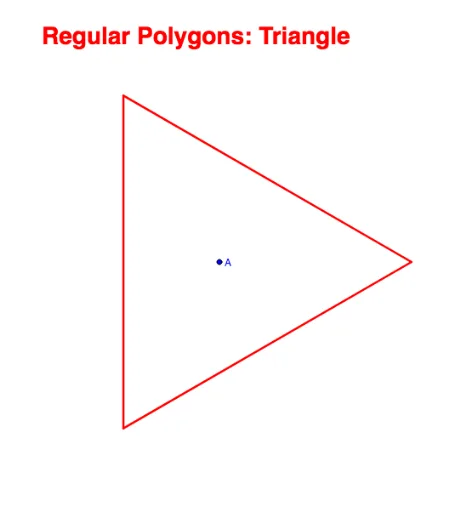
This GeoGebra example dynamically demonstrates the concept of limits by showing how the perimeter and area of regular polygons with increasing numbers of sides converge to those of a circle. It uses both inscribed and circumscribed polygons to bracket the circle's circumference and area, illustrating the classic method for approximating pi. Core mathematical concepts include limits, regular polygons, inscribed and circumscribed circles, apothem, sector and segment areas, and ratio comparisons. The construction employs GeoGebra commands such as Sequence, Element, Circle, Circumference, Segment, Sum, Area, If, Textfield, TableText, and First. Key objects include pointList1, segList, perimeterPoly, midPtList, apothemList, radius_2, circle_2, circum_2, radius_1, radiiList, circle_1, showRadii, showApothem, showMidPoints, sectorList, apothArea, segmentArea, showSector, valueSegAreaTotal, areaPolygon, areaPolyText, arclist, areaCircle_1, sumSegCirText, showSegment, areaCircleText, ratioPolyArea2Circle_1, ratioCircleSegment2Circle, circum_1, polyList, showPolyName, showSides, ratioPolyPer2Circum_1, showVertices, inputBox1, descriptN, and sliderInstruct. A slider controls the number of sides n, and text fields display computed ratios. This resource is ideal for high school and early college students learning limits, pi approximation, and dynamic geometry, as well as for inquiry-based math labs.
GeoGebra Commands & Parameters
Sequence(Rotate[A + (r, 0), ((k * 2) * π / n), A], k, 0, n) → pointList1Sequence(Segment[Element[pointList1, k], Element[pointList1, k + 1]], k, 1, n) → segListSequence(Midpoint[Element[segList, k]], k, 1, n) → midPtListSequence(Segment[A, Element[midPtList, k]], k, 1, n) → apothemListElement(apothemList, 1) → radius_2Circle(A, radius_2) → circle_2Circumference(circle_2) → circum_2Segment(A, A + (r, 0)) → radius_1Sequence(Rotate[radius_1, (360° * k / n), A], k, 1, n) → radiiListCircle(A, r) → circle_1Sequence(Sector[circle_1, Element[pointList1, k], Element[pointList1, k + 1]], k, 1, n) → sectorListSequence(((Element[segList, k] * Element[apothemList, k])) / 2, k, 1, n) → apothAreaSequence(Element[sectorList, k] - Element[apothArea, k], k, 1, n) → segmentAreaSum(segmentArea, n) → valueSegAreaTotalSum(apothArea, n) → areaPolygonSequence(Arc[circle_1, Element[pointList1, k], Element[pointList1, k + 1]], k, 1, n) → arclistArea(circle_1) → areaCircle_1Circumference(circle_1) → circum_1If(n < 13, Element[polyList, n - 2], n + Element[polyList, 11]) → showPolyNameTextfield(n) → inputBox1Area(circle_2) → areaCircle_2TableText({{"Regular " + showPolyName, TableText[{{"No.Sides", n}, {"Area", areaPolygon}, {"Perimeter", perimeterPoly}}, "c|111_"]}}, "vc_|11") → polyTextTableText({{"Circle_1 A circumscribed", TableText[{{"Radius", r}, {"Area", areaCircle_1}, {"Circumference", circum_1}}, "c|111_"]}}, "vc_|11") → circle_1TextTableText({{"Shaded Space", TableText[{{"Area", valueSegAreaTotal}, {"% of Circle", (ratioCircleSegment2Circle * 100) + "\%"}}, "c|11_"]}}, "vc_|11|") → shadeTextTableText({{"White Space", TableText[{{"Area", areaPolygon}, {"% of Circle", (100 * ratioPolyArea2Circle_1) + "\%"}}, "c|11_"]}}, "vc_|11|") → whiteTextTableText({{"Circle_2 A circumscribed", TableText[{{"Radius", radius_2}, {"Area", areaCircle_2}, {"Circumference", circum_2}}, "c|111_"]}}, "vc_|11") → circle_2TextFirst(radiiList) → radius_fFirst(apothemList) → apothem_fTableText({{"Central Triangle A", TableText[{{"Chord", Element[segList, 1]}, {"Apothem", Element[apothemList, 1]}, {"Area", Element[apothArea, 1]}}, "c|111_"]}}, "vc_|11") → trianText
AI Drawing Prompt Reference
Draw a circle with a fixed center and adjustable radius. Inside it, generate a regular polygon whose number of sides is controlled by a slider, increasing gradually. Also draw the circumscribed and inscribed circles of the polygon, and show its sides, radii, apothems, and segments from the center to side midpoints. Use sectors and triangles to represent the area difference between the polygon and the circle, and dynamically display the ratios of the polygon's perimeter and area to those of the circle, which approach 1 as the side count increases.
The prompt above was compiled from the original drawing commands and is for reference only.