
Polar and Rectangular Coordinates Conversion by Tosha Kelsey (2)
Loading the math board and drawing, please wait…
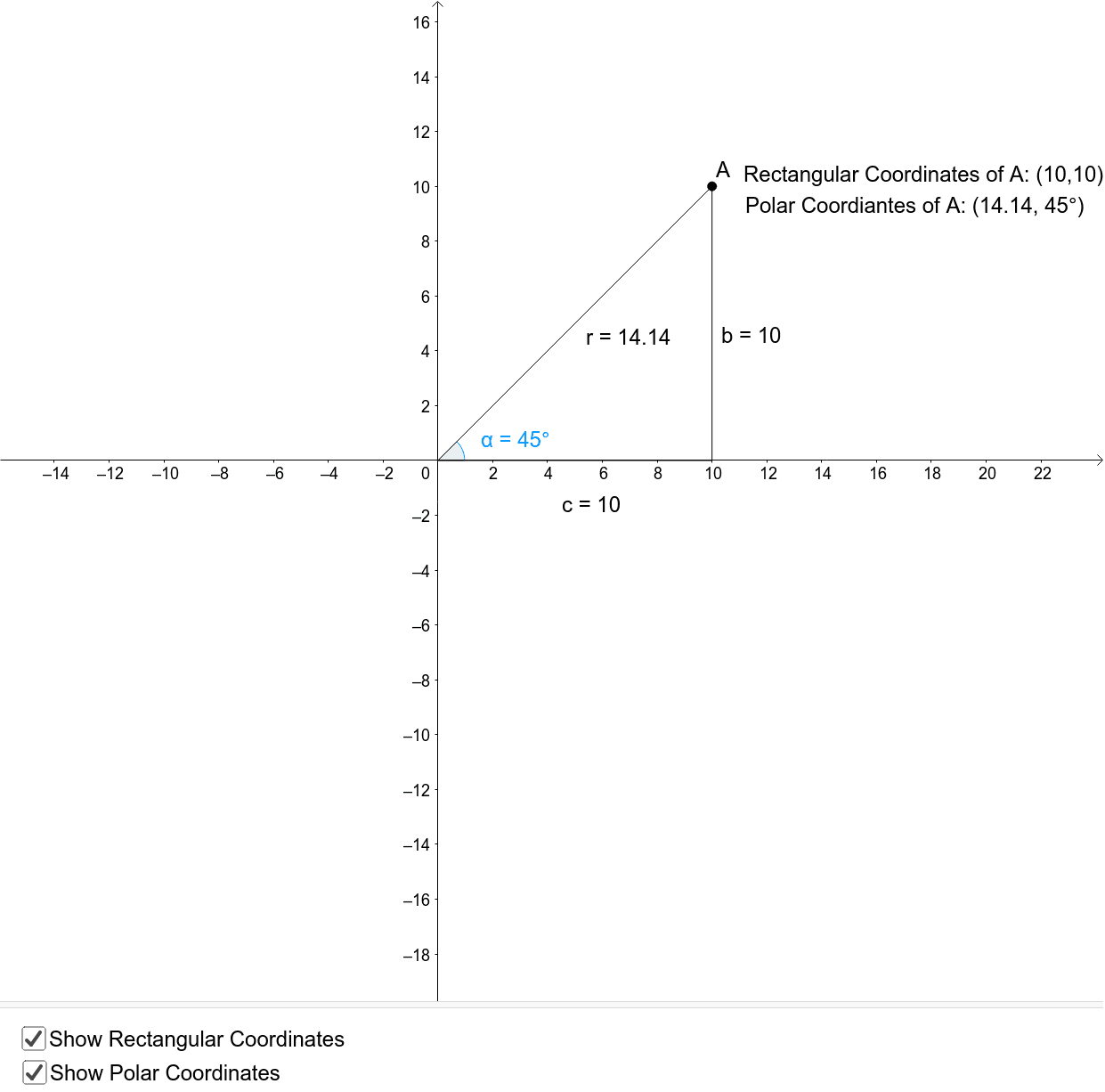
This example demonstrates the conversion between polar and rectangular coordinates in GeoGebra, illustrating the transformation formulas, trigonometric applications, and geometric constructions. Key commands used include OrthogonalLine, Intersect, Segment, Point, Angle, Textfield, and objects like A, f, B, b, c, a, D, C, α, r, d, xa, ya, text1, text2, InputBox1. It is suitable for high school students learning coordinate systems and basic GeoGebra drawing functions.
GeoGebra Commands & Parameters
OrthogonalLine(A, xAxis) → fIntersect(f, xAxis) → BSegment(A, B) → bSegment((0, 0), B) → cPoint(xAxis) → DPoint(c) → CAngle(D, C, A) → αSegment(C, A) → rTextfield(A) → InputBox1
AI Drawing Prompt Reference
Please draw a figure that demonstrates the conversion between polar and rectangular coordinates. First, select a point on the x-axis and draw a line perpendicular to it. Then, find the intersection of this vertical line with the x-axis and connect the origin to this intersection point. Next, choose another point on the x-axis and connect it to the previous intersection point to form a new segment. Finally, calculate and label the relationships between these segments and angles, illustrating the conversion formulas between polar and rectangular coordinates.
The prompt above was compiled from the original drawing commands and is for reference only.