
Place Value Subtraction Demo
Loading the math board and drawing, please wait…
In collections
Place Value
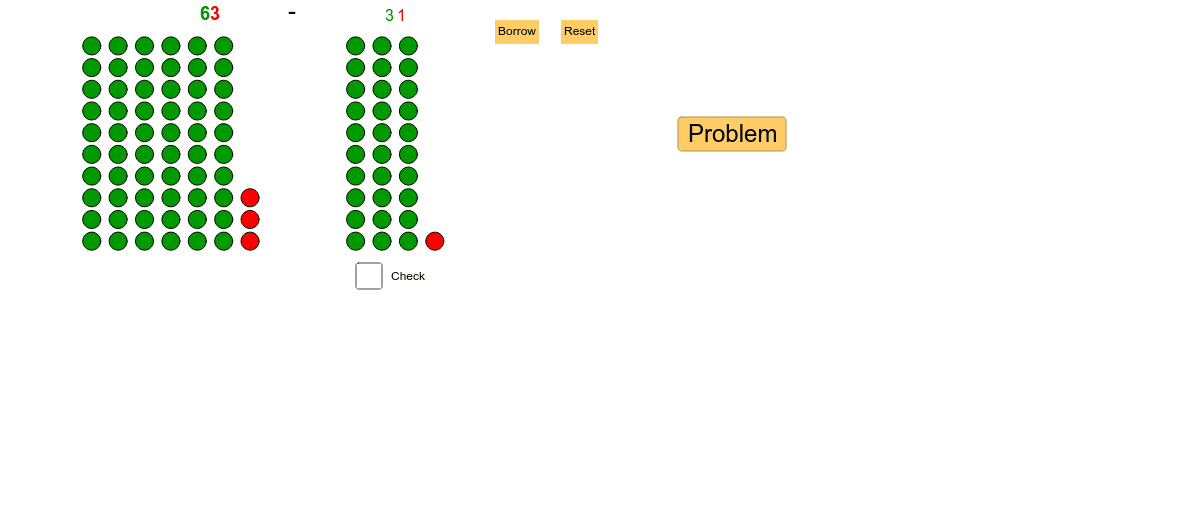
This example demonstrates the subtraction algorithm by comparing steps and visualizing the process. It involves core math concepts like place value, borrowing, and algorithmic steps. Constructed using GeoGebra commands like Textfield and Sequence, featuring objects such as m_2, base, tens_2, m, etc. Suitable for middle elementary students or beginners learning subtraction principles.
GeoGebra Commands & Parameters
Textfield(base) → inputBox1Sequence(Sequence[(t + 10, o), o, 1, base], t, 1, tens_2) → list_4Sequence(Sequence[(t, o), o, 1, base], t, 1, tens) → list2Sequence((tens + 1, o), o, 1, ones) → list1Sequence((tens_2 + 11, o), o, 1, ones_2) → list3Sequence(Sequence[Sequence[(((h - 1) * 10) + t, o), o, -11, base - 12], t, 1, base], h, 1, hunds_{sum}) → list_{sum3}Sequence(Sequence[((hunds_{sum} * 10) + t, o), o, -11, base - 12], t, 1, tens_{sum}) → list_{sum2}Sequence(((hunds_{sum} * base) + tens_{sum} + 1 + ((10 - base) * hunds_{sum}), o), o, -11, ones_{sum} - 12) → list_{sum1}
AI Drawing Prompt Reference
Demonstrate the subtraction algorithm by comparing steps and visualizing the process, involving units, tens, and hundreds places, with borrowing operations shown in different colors or shapes, progressing from higher to lower place values to illustrate the subtraction steps and final result.
The prompt above was compiled from the original drawing commands and is for reference only.