
Place Value Cards
Loading the math board and drawing, please wait…
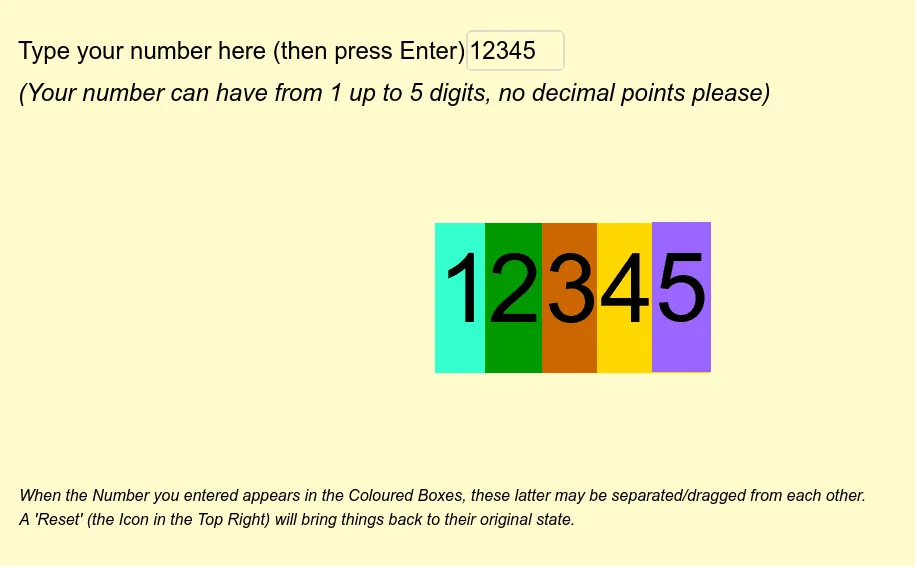
This example demonstrates place value cards, involving the composition of natural numbers. Using GeoGebra commands such as Length, Textfield, and TextToUnicode, it dynamically shows the composition and conversion of digits. Suitable for high-grade elementary and junior high school students to learn digit concepts and basic arithmetic operations.
GeoGebra Commands & Parameters
Length(numero) → digitsTextfield(numero) → inputBox1TextToUnicode(numero) → list1Sequence(Element[list1, i] - 48, i, 1, digits) → list2Element(list2, 1) → aIf(digits ≟ 5, Element[list2, 3], If[digits ≟ 4, Element[list2, 2], If[digits ≟ 3, Element[list2, 1], If[digits < 3, 0, 0]]]) → hunIf(digits ≟ 5, Element[list2, 2], If[digits ≟ 4, Element[list2, 1], If[digits < 4, 0, 0]]) → thousIf(digits ≟ 5, Element[list2, 1], If[digits < 5, 0, 0]) → tenthousIf(digits ≟ 5, Element[list2, 4], If[digits ≟ 4, Element[list2, 3], If[digits ≟ 3, Element[list2, 2], If[digits ≟ 2, Element[list2, 1], If[digits < 2, 0, 0]]]]) → tenIf(digits ≟ 5, Element[list2, 5], If[digits ≟ 4, Element[list2, 4], If[digits ≟ 3, Element[list2, 3], If[digits ≟ 2, Element[list2, 2], If[digits < 2, Element[list2, 1], 0]]]]) → one
AI Drawing Prompt Reference
Create a place value board to display a 5-digit number. First, input a 5-digit number, then dynamically show the cards for ten-thousands, thousands, hundreds, tens, and units. Automatically adjust the content of each digit card based on the input number.
The prompt above was compiled from the original drawing commands and is for reference only.