
Pinwheel Fractal Construction
Loading the math board and drawing, please wait…
In collections
Symmetry, Transformation and Tessellation
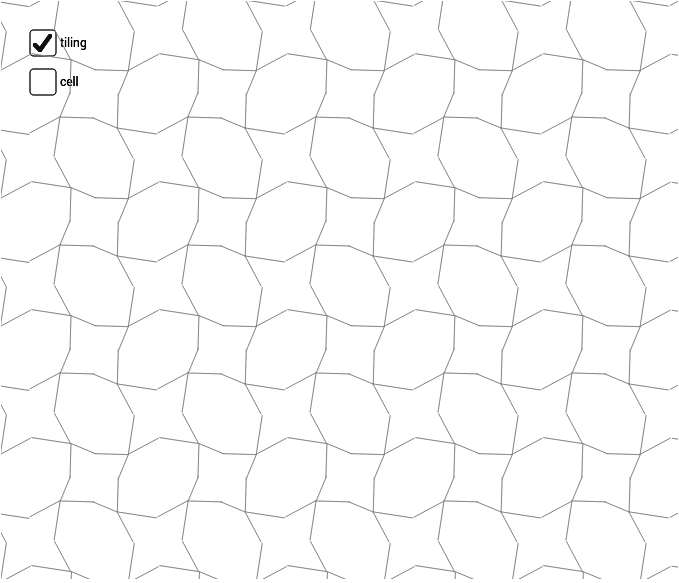
This example demonstrates the creation of a pinwheel fractal by rotating parallelograms. It involves core math concepts like vectors, rotation, sequences, and geometric transformations. The construction uses commands such as Midpoint, Vector, Segment, Rotate, and Sequence. Suitable for high school mathematics education to illustrate the connection between geometric transformations and fractal geometry.
GeoGebra Commands & Parameters
Midpoint(A, B) → EMidpoint(B, D) → FMidpoint(D, C) → GMidpoint(C, A) → HMidpoint(C, B) → IVector(A, B) → uVector(A, C) → vVector(C, D) → wVector(B, D) → aSegment(H, F) → bSegment(E, G) → cSegment(J, K) → eSegment(K, L) → fSegment(K, M) → gSegment(K, N) → hRotate(cell1, 90*°, I) → cell2Rotate(cell1, 180*°, I) → cell3Rotate(cell1, 270*°, I) → cell4Sequence(Translate[Sequence[Translate[tile, Vector[(n * u)]], n, -3, 3], Vector[(m * v)]], m, -3, 3) → tilingSegment(H, I) → kSegment(E, I) → l
AI Drawing Prompt Reference
Create a pinwheel fractal by rotating parallelograms. Start by finding the midpoints of the sides of a quadrilateral and drawing segments between them. Then, use vectors to represent the sides and calculate the positions after rotation. Finally, arrange these rotated parallelograms in a pattern to form the fractal.
The prompt above was compiled from the original drawing commands and is for reference only.