
phi-constructions-35
Loading the math board and drawing, please wait…
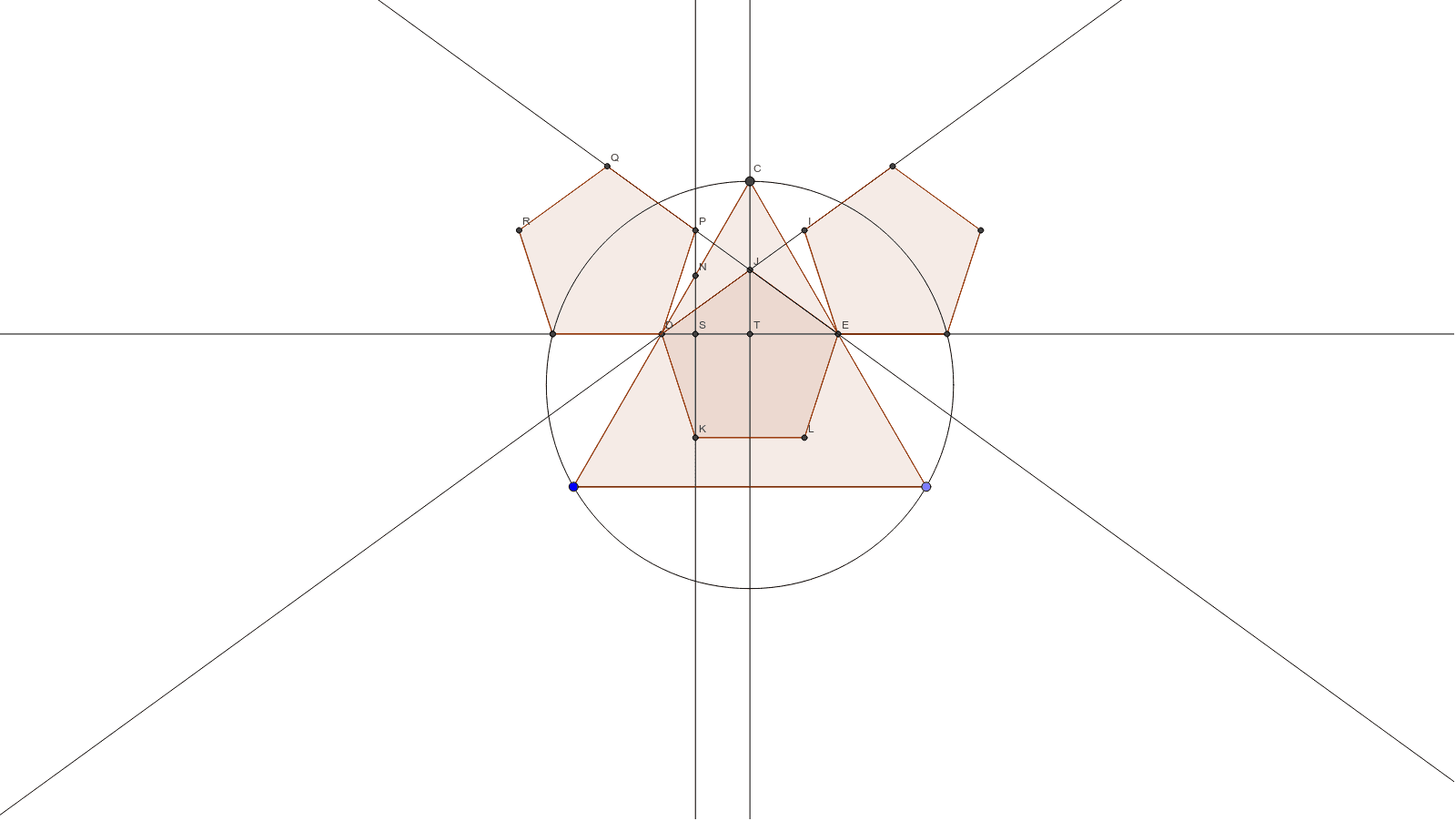
This example demonstrates the geometric construction phi-constructions-35. It involves key mathematical concepts such as geometric construction. Using GeoGebra commands like Point, Segment, Polygon, Circle, etc., complex geometric shapes are constructed. Suitable for teaching and learning geometric construction.
GeoGebra Commands & Parameters
Point(Circle[A, 1.618]) → BSegment(A, B) → aPolygon(A, B, 3) → poly1, b, c, d, CCircle(A, C, B) → eMidpoint(d) → DMidpoint(c) → ELine(D, E) → fIntersect(e, f, 2) → FPolygon(E, F, 5) → poly2, g, h, i, j, k, G, H, ILine(H, I) → lLineBisector(a) → mIntersect(l, m) → JPolygon(J, D, 5) → poly3, n, p, q, r, s, K, L, MLine(K, m) → tIntersect(t, d) → NDistance(D, E) → distanceDEDistance(K, L) → distanceKLDistance(N, C) → distanceNCDistance(N, D) → distanceNDDistance(J, I) → distanceJIIntersect(e, f, 1) → OPolygon(O, D, 5) → poly4, a_1, b_1, c_1, d_1, e_1, P, Q, RLine(Q, P) → f_1Intersect(f, t) → SIntersect(f, m) → TDistance(S, T) → distanceSTDistance(S, a_1) → distanceSa1Distance(S, T) → STDistance(S, O) → A7Distance(S, P) → SP
AI Drawing Prompt Reference
Draw a geometric construction based on the golden ratio, starting with a circle, then take a point on the circle, connect it to the center to form a segment, construct a triangle with this segment as a side, draw a circle with the center and a vertex of the triangle, find the intersection of this circle with the previous segment, construct a pentagon with this intersection as a vertex, and continue to create other geometric shapes in a similar manner, connecting specific points to form lines, resulting in a complex geometric pattern.
The prompt above was compiled from the original drawing commands and is for reference only.