
Perimeter Variation Demo
Loading the math board and drawing, please wait…
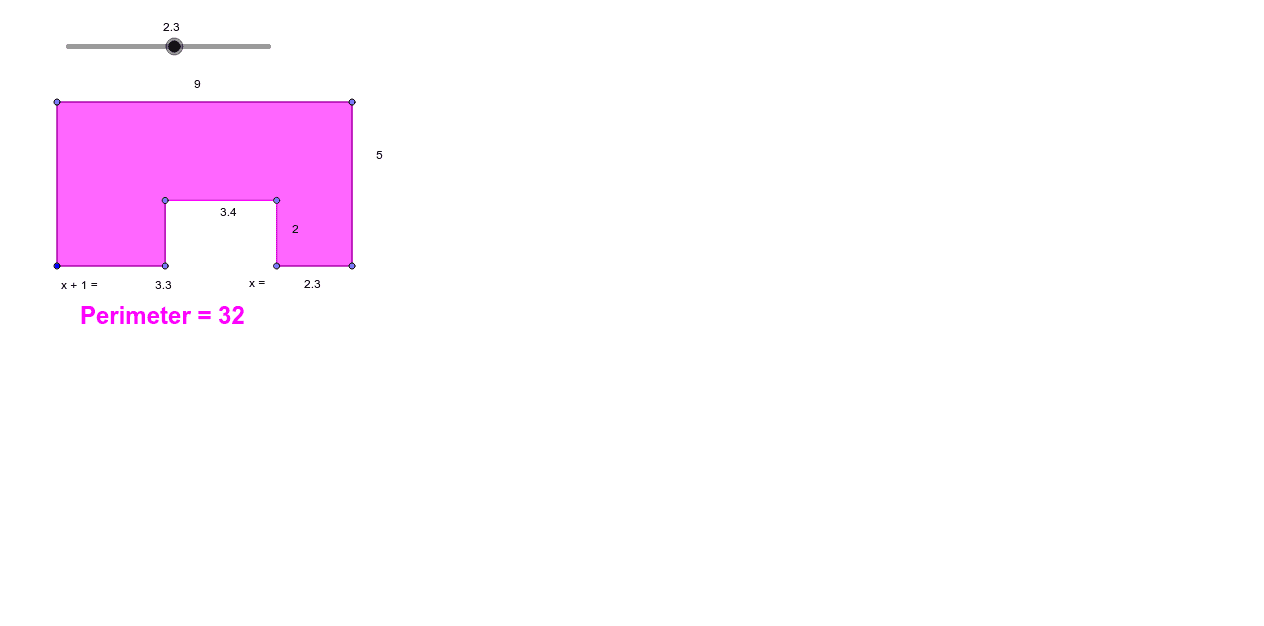
This example demonstrates how the perimeter of a geometric figure changes dynamically as a parameter x varies. Key math concepts include perimeter calculation, vector applications, geometric transformations, and quadratic functions. Construction highlights involve commands like Point, Segment, Polygon, and objects such as a, pop, A, B, b, C, c, D, d, E, e, F, f, G, g, H, h, i, poly1, b_1, a_1, e_1, g_1, h_1, f_1, d_1, c_1, pop_1, text1, text1_1, perim1, text2. Suitable for high school students to explore the relationship between functions and geometric transformations, ideal for math inquiry lessons.
GeoGebra Commands & Parameters
Point(Circle[A, 5]) → BSegment(A, B) → bPoint(Circle[B, 9]) → CSegment(B, C) → cPoint(Circle[C, 5]) → DSegment(C, D) → dPoint(Circle[A, abs(pop)]) → ESegment(A, E) → ePoint(Circle[D, abs((-a))]) → FSegment(D, F) → fPoint(Circle[E, 2]) → GSegment(E, G) → gPoint(Circle[F, 2]) → HSegment(F, H) → hSegment(G, H) → iPolygon(B, A, E, G, H, F, D, C) → poly1, b_1, a_1, e_1, g_1, h_1, f_1, d_1, c_1
AI Drawing Prompt Reference
Draw a geometric figure composed of multiple points, line segments, and a polygon. Key points include A, B, C, D, E, F, G, H; key line segments include b, c, d, e, f, g, h, i; and a polygon poly1 formed by these points. These points are connected by line segments to create a complex polygon. The construction order is to draw point A, then segment A to B, then point B, then segment B to C, and so on. Parameters pop and a affect the positions of points E and F. The figure illustrates the dynamic relationship of perimeter with parameters, suitable for math inquiry lessons.
The prompt above was compiled from the original drawing commands and is for reference only.