
Perimeter-Area Basics Recap
Loading the math board and drawing, please wait…
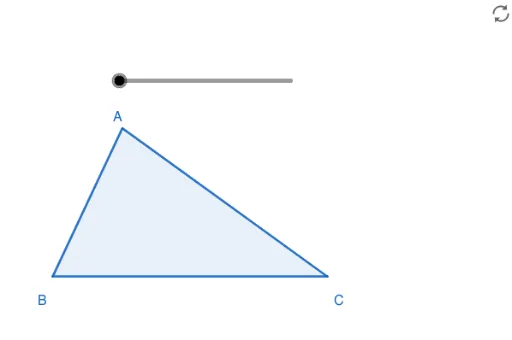
This example demonstrates the calculation and dynamic changes of perimeter and area in polygons. It involves core mathematical concepts such as perimeter, area, polygon construction, and geometric transformations. Key GeoGebra commands and objects used in the construction include Polygon, If, Centroid, Midpoint, Rotate, and Segment. It is suitable for middle school and above students to understand geometric fundamentals and dynamic geometry demonstrations.
GeoGebra Commands & Parameters
Polygon(A, B, C) → t1, c, a, bIf(d ≤ 3, Translate[B, Vector[(d / 3 * Vector[X])]], Translate[B, Vector[X]]) → EIf(d ≤ 3, Translate[C, Vector[(d / 3 * Vector[X])]], Translate[C, Vector[X]]) → FIf(d ≤ 3, Translate[A, Vector[(d / 3 * Vector[X])]], Translate[A, Vector[X]]) → DPolygon(D, E, F) → t2, f, d_1, eCentroid(t2) → GIf(d > 3 ∧ d < 7, Polygon[Rotate[D, (π / 4 * (d - 3)), G], Rotate[E, (π / 4 * (d - 3)), G], Rotate[F, (π / 4 * (d - 3)), G]], If[d ≥ 7, Polygon[Rotate[D, π, G], Rotate[E, π, G], Rotate[F, π, G]]]) → t3Centroid(t1) → HMidpoint(a) → IRotate(H, π, I) → H'If(d ≥ 7, Translate[t3, Vector[((d - 7) / 3 * Vector[G, H'])]]) → t4Segment(B, C) → gRotate(A, π, I) → A'Polygon(A, B, A', C) → q1, a_1, b_1, a', c_1Rotate(A, π, I) → A'_1
AI Drawing Prompt Reference
Draw a polygon to demonstrate the calculation and dynamic changes of its perimeter and area. Start by constructing a base polygon and show how its perimeter and area change based on the number of sides. Use rotation and translation to display geometric transformations, including changes in the centroid and midpoints of the sides. Finally, rotate and translate the polygon to observe how its perimeter and area vary with shape changes.
The prompt above was compiled from the original drawing commands and is for reference only.