
Perfect Supplement - Ultimate Angle Pair Show
Loading the math board and drawing, please wait…
In collections
Besondere Winkelpaare
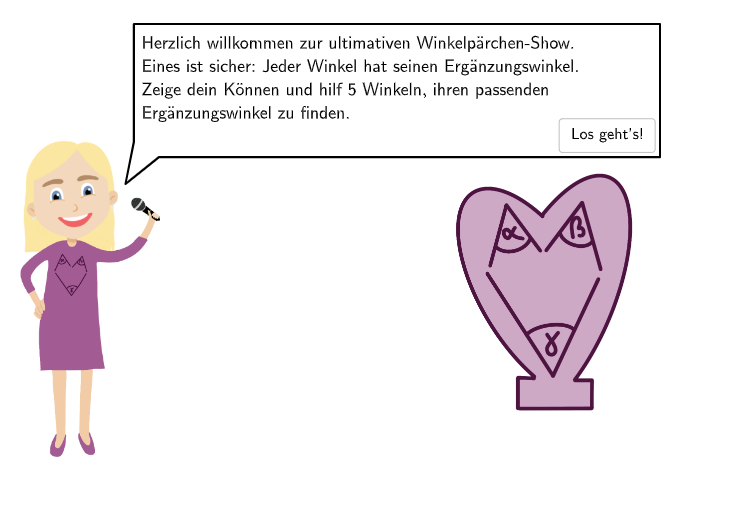
This example demonstrates the perfect supplement of angle pairs, involving the classification of angles (acute, right, obtuse, straight, reflex, and full angles) and the measurement of angles. Using GeoGebra commands such as Element, If, Sequence, etc., students can intuitively understand the classification and measurement of angles. Suitable for 5-6 grade students to practice classifying and measuring angles.
GeoGebra Commands & Parameters
Element(randomQuestions, questionCount) → actualQuestionIf(actualQuestion ≟ 3, 5°, actualQuestion ≟ 5, 45°, 10°) → startWR2Sequence(PosWR + ((segLengthR - 0.25) * (cos(startWR2 + k°), sin(startWR2 + k°))), k, 1, 360) → PointRListPoint(PointRList) → PointR2IndexOf(PointR2, PointRList) → indexWR2If(actualQuestion ≟ 1, correct01, false, actualQuestion ≟ 4, correct04, actualQuestion ≟ 2, correct02, actualQuestion ≟ 3, correct03, actualQuestion ≟ 5, correct05) → correctElement(randomQuestions, Mod[questionCount, Length[randomQuestions]] + 1) → randomQuestionTextfield(input) → inputBoxIf(questionCount ≟ 6 ∧ correctCount > 3, 1.25, questionCount ≟ 6 ∧ correctCount ≤ 3, 2.5, 2.8) → SBheight00SpeechBubbleLeft(PosSBBabsi, SBwidth00, SBheight00) → poly1If(actualQuestion ≟ 4, 130°, 50°) → winkelL1If(actualQuestion ≟ 4, 5°, 25°) → startWL1If(actualQuestion ≟ 3, 170°, actualQuestion ≟ 5, 90°, 60°) → winkelL2If(actualQuestion ≟ 3, 0°, actualQuestion ≟ 5, 30°, 20°) → startWL2If(actualQuestion ≟ 1 ∨ actualQuestion ≟ 4, selectedW11 ∨ selectedW12 ∨ selectedW13 ∨ selectedW14 ∨ selectedW15, moved) → clickableBtnValidateAngle(WinkelR2(1), WinkelR2(2)) → capBetaSequence(Translate[imgWHerz1, Vector[(k * Vector[PosImgWHerz1, PosImgWHerz2])]], k, 0, correctCount - 1) → ImgWHerzListIf(actualQuestion ∈ {2, 3, 5}, 0.48, 0.415) → parwText((("\textsf{\beta = " * indexWR2) * "°}"), PosWR + (0, -0.1), false, true, 0, -1) → txtCapR2Angle(WinkelRSol(1), WinkelRSol(2)) → capBeta2Text((("\textsf{\beta = " * If[actualQuestion ≟ 2, 120°, actualQuestion ≟ 3, 190°, 90°]) * "}"), PosWRSol + (0, -0.1), false, true, 0, -1) → txtCapRSolCircleSector(PosSolW2, PosSolW2 + (segLength - 0.4, 0), Rotate[PosSolW2 + (segLength, 0), 60°, PosSolW2]) → WinkelSol23Text("\textsf{Lösung:}", PosWRSol + (0, 2.5), false, true, 0, 0) → txtSolSegment(PosWR + (Distance[PosWR, PointR2] * (cos(Angle[PosWR + (1, 0), PosWR, PointR2] + arrowCircleDistance + arrowCircleAngle), sin(Angle[PosWR + (1, 0), PosWR, PointR2] + arrowCircleDistance + arrowCircleAngle))), PosWR + (Distance[PosWR, PointR2] * (cos(Angle[PosWR + (1, 0), PosWR, PointR2] + arrowCircleDistance + arrowCircleAngle), sin(Angle[PosWR + (1, 0), PosWR, PointR2] + arrowCircleDistance + arrowCircleAngle))) + (arrowCircleLength * UnitOrthogonalVector[Vector[PosWR, PosWR + (Distance[PosWR, PointR2] * (cos(Angle[PosWR + (1, 0), PosWR, PointR2] + arrowCircleDistance + arrowCircleAngle), sin(Angle[PosWR + (1, 0), PosWR, PointR2] + arrowCircleDistance + arrowCircleAngle)))]])) → arrowCircleArrowR21Segment(PosWR + (Distance[PosWR, PointR2] * (cos(Angle[PosWR + (1, 0), PosWR, PointR2] - arrowCircleDistance - arrowCircleAngle), sin(Angle[PosWR + (1, 0), PosWR, PointR2] - arrowCircleDistance - arrowCircleAngle))), PosWR + (Distance[PosWR, PointR2] * (cos(Angle[PosWR + (1, 0), PosWR, PointR2] - arrowCircleDistance - arrowCircleAngle), sin(Angle[PosWR + (1, 0), PosWR, PointR2] - arrowCircleDistance - arrowCircleAngle))) - (arrowCircleLength * UnitOrthogonalVector[Vector[PosWR, PosWR + (Distance[PosWR, PointR2] * (cos(Angle[PosWR + (1, 0), PosWR, PointR2] - arrowCircleDistance - arrowCircleAngle), sin(Angle[PosWR + (1, 0), PosWR, PointR2] - arrowCircleDistance - arrowCircleAngle)))]])) → arrowCircleArrowR22
AI Drawing Prompt Reference
Draw a geometry practice diagram for classifying and measuring angle pairs (perfect supplement). Place a common vertex on the plane and draw a base ray and a second ray forming one marked angle. Add an angle arc and a clear angle measure label for this angle, then draw the corresponding paired angle at the same vertex with its own angle arc and angle label. Include text of the form “β = …°” near the relevant arcs and a heading “Solution:” on the right/top area. Style the layout to support categories such as acute, right, obtuse, straight, reflex, and full angles, emphasizing the relationship between the two angle measures.
The prompt above was compiled from the original drawing commands and is for reference only.