
Pentagonal Prism Construction
Loading the math board and drawing, please wait…
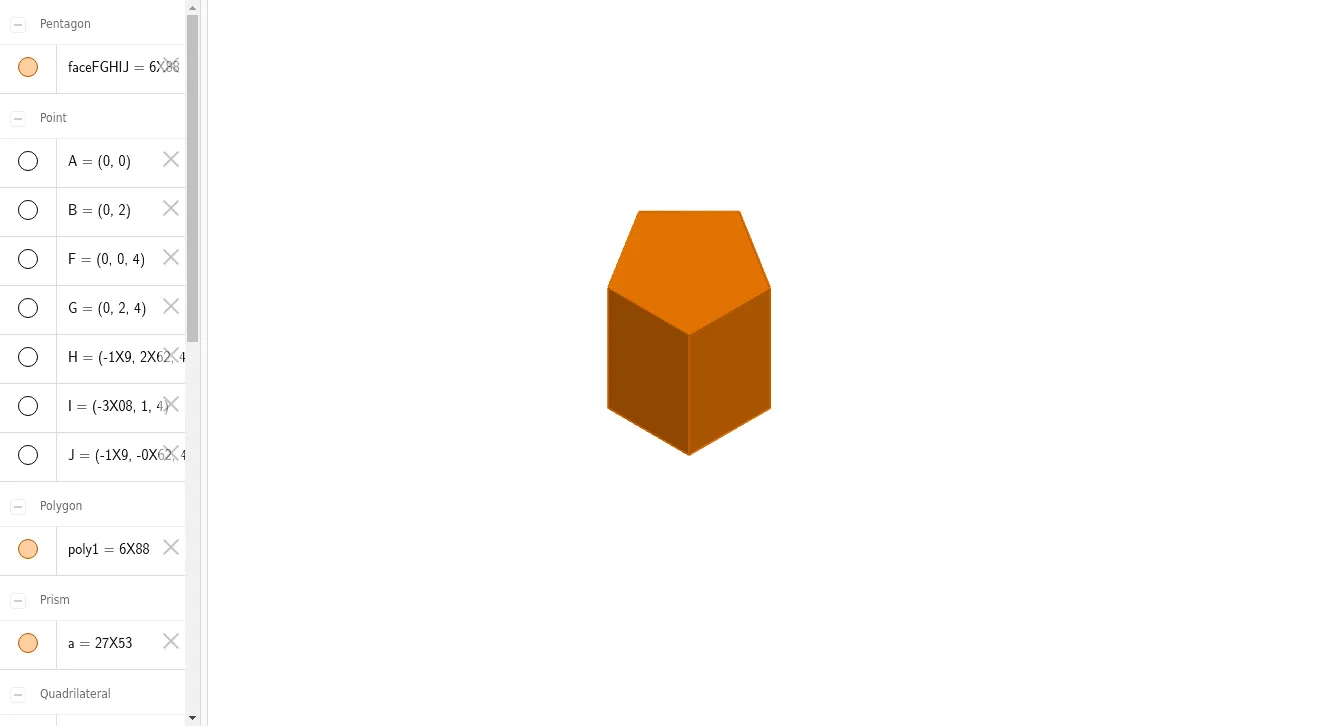
This example demonstrates the construction and properties of a pentagonal prism. It involves core math concepts like polygons, solid geometry, equations, and trigonometry. Key GeoGebra commands used include Intersect, Point, Polygon, and Prism to build vertices, edges, and faces. Suitable for high school students learning solid geometry and analytical geometry, or for mathematical teaching demonstrations.
GeoGebra Commands & Parameters
Intersect(xAxis, yAxis) → APoint(yAxis) → BPolygon(A, B, 5) → poly1, f, g, h, i, j, C, D, EPrism(poly1, 4) → a, F, faceAEJF, faceFGHIJ, edgeAF, edgeBG, edgeCH, edgeDI, edgeEJ, edgeFG, edgeGH, edgeHI, G, edgeIJ, edgeFJ, H, I, J, faceABGF, faceBCHG, faceCDIH, faceDEJI
AI Drawing Prompt Reference
Draw a pentagonal prism. Start by creating point A at the intersection of the x-axis and y-axis, then create point B on the y-axis. Use A and B to draw a pentagon poly1. Finally, extend poly1 upwards by 4 units to form the prism, including all vertices and faces.
The prompt above was compiled from the original drawing commands and is for reference only.