
Part of a Sphere
Loading the math board and drawing, please wait…
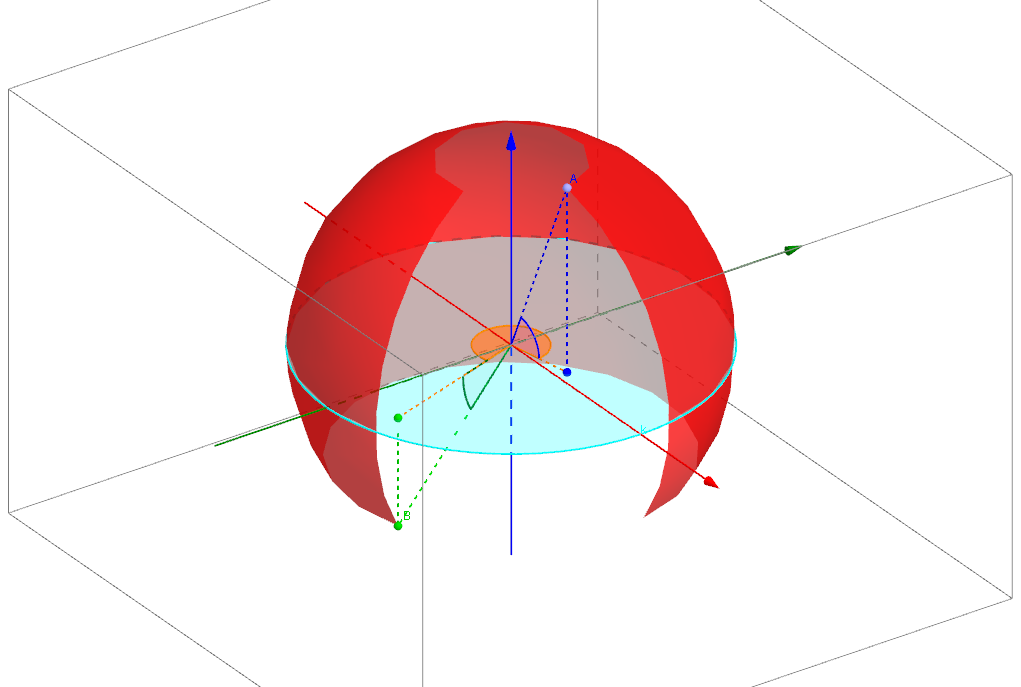
This example demonstrates a portion of a sphere. It involves concepts such as spheres, circles, straight lines, and reflections. Using GeoGebra commands like Sphere, PointIn, If, Segment, etc., a part of the sphere can be constructed. Suitable for high school mathematics education and learning.
GeoGebra Commands & Parameters
Sphere((0, 0, 0), 1) → aPointIn(a) → BPointIn(a) → AIf(z(A) < 0, ((-(((Angle[A_0, (0, 0, 0), A, Plane[A, (0, 0, 0), A_0]] * 2) * π / 360)))) / °, (((Angle[A_0, (0, 0, 0), A, Plane[A, (0, 0, 0), A_0]] * 2) * π / 360)) / °) → aa1If(z(B) < 0, ((-(((Angle[B_0, (0, 0, 0), B, Plane[B, (0, 0, 0), B_0]] * 2) * π / 360)))) / °, (((Angle[B_0, (0, 0, 0), B, Plane[B, (0, 0, 0), B_0]] * 2) * π / 360)) / °) → ab1Segment(A_0, A) → cSegment(B_0, B) → dMin(aa1, ab1) → vbMax(aa1, ab1) → veSegment(O, B) → hSurface((cos(u) * cos(v)), (sin(u) * cos(v)), sin(v), u, aa0, aa0 + ab0, v, vb, ve) → bSegment(A_0, O) → eSegment(B_0, O) → fSegment(O, A) → gAngle(A, O, A_0) → αAngle(B, O, B_0) → βAngle((x(A), y(A)), (0, 0), (x(B), y(B))) → γCircle(zAxis, (1, 0, 0)) → k
AI Drawing Prompt Reference
Draw a part of a sphere with radius 1, including the center O, and points A and B on the sphere with z-coordinates less than 0. Construct a part of the sphere surface using points A and B, where angles α and β represent the angles between A and B with the center O, and γ is the angle between the projections of A and B on the xy-plane.
The prompt above was compiled from the original drawing commands and is for reference only.