
Parallelogram & Trapezium Area & Perimeter
Loading the math board and drawing, please wait…
In collections
Measurement
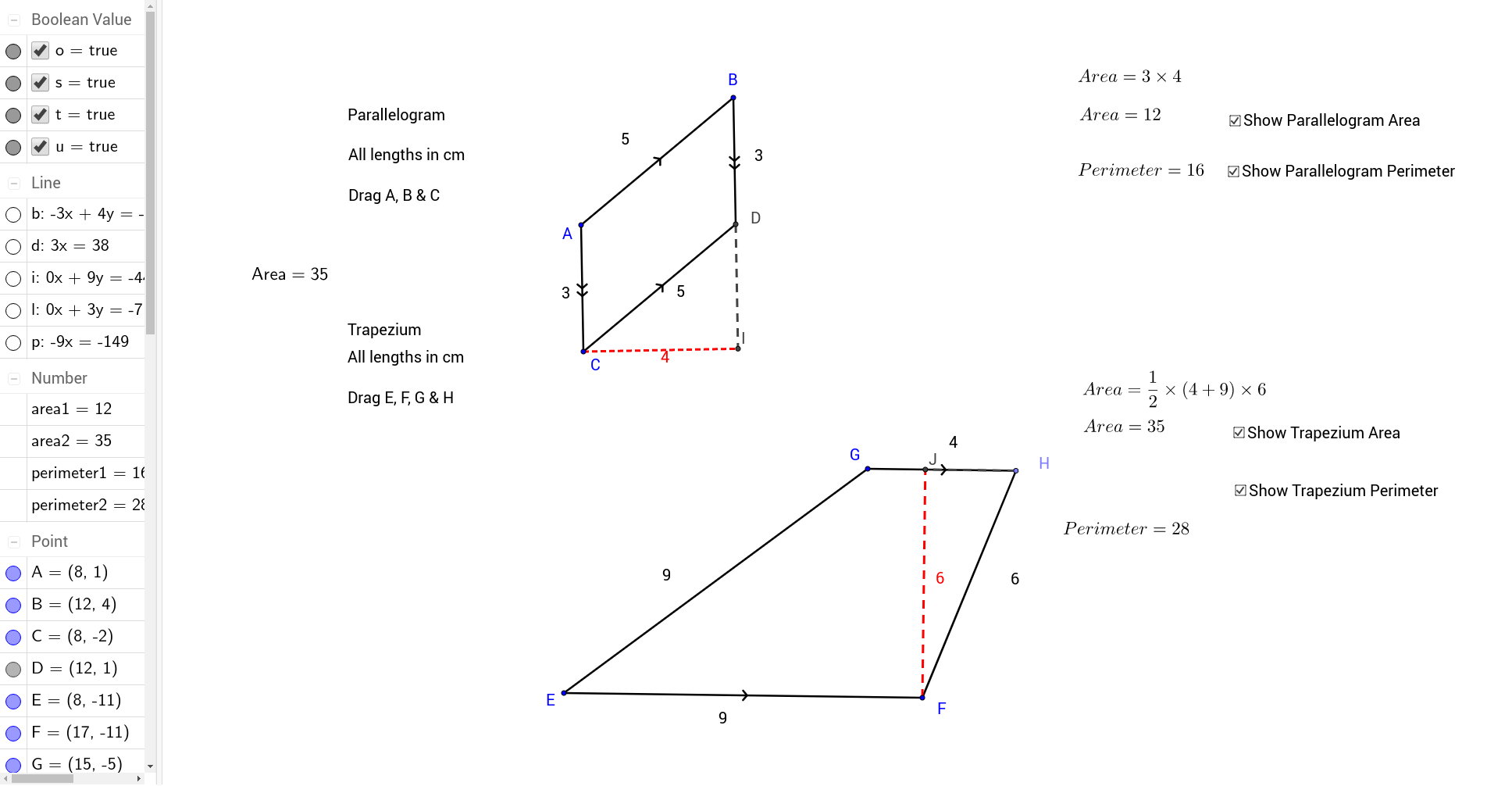
This example demonstrates the calculation of area and perimeter for parallelograms and trapezoids. It involves core mathematical concepts such as area formulas, perimeter computation, geometric transformations, and matrix operations. The construction uses commands like Segment, Line, Intersect, Point, OrthogonalLine, and objects like A, B, a, C, b, c, d, D, e, f, E, F, g, G, h, i, H, j, k, l, I, m, n, text1, area1, text3, o, text4, text5, text6, p, J, q, r, area2, text8, "Area = " + area2 + "", s, text9, text2 for calculations and display. It is suitable for high school students learning and understanding the properties and calculations of geometric shapes.
GeoGebra Commands & Parameters
Segment(A, B) → aLine(C, a) → bSegment(A, C) → cLine(B, c) → dIntersect(b, d) → DSegment(C, D) → eSegment(B, D) → fSegment(E, F) → gSegment(E, G) → hLine(G, g) → iPoint(i) → HSegment(H, F) → jSegment(G, H) → kOrthogonalLine(C, c) → lIntersect(l, d) → ISegment(C, I) → mSegment(D, I) → nOrthogonalLine(F, g) → pIntersect(i, p) → JSegment(F, J) → qSegment(H, J) → r
AI Drawing Prompt Reference
Draw a parallelogram and a trapezoid to demonstrate the calculation of their areas and perimeters. Start by constructing the parallelogram with two pairs of parallel sides and locate the intersection of its diagonals. Then, create a trapezoid based on one side of the parallelogram, labeling key points. Finally, calculate and display the areas and perimeters of both shapes, using geometric transformations and matrix operations for assistance, suitable for high school students learning geometric properties and calculations.
The prompt above was compiled from the original drawing commands and is for reference only.