
Parallelogram Exploration 3: Centroid and Random Experiments in Geometry
Loading the math board and drawing, please wait…
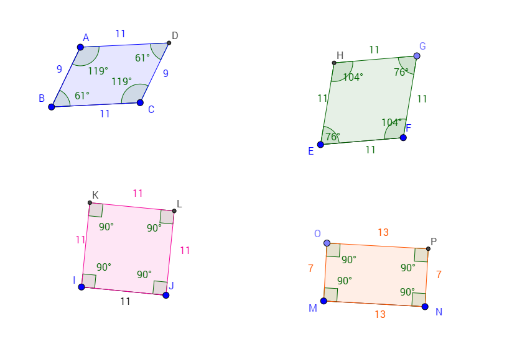
This GeoGebra example demonstrates an interactive exploration of a parallelogram and its associated geometric elements, focusing on the centroid (barycenter) and random experiments. The construction includes diagonals, intersection points, perpendicular lines, circles, and random points, allowing users to observe the centroid's position and proportional relationships within the parallelogram. Core mathematical concepts include parallelogram properties, centroid definition, geometric construction, ratios, and random experiments. The construction uses GeoGebra commands such as Segment, Line, Intersect, Polygon, Angle, Circle, Point, and OrthogonalLine, creating objects like A, B, f, C, g, h, i, D, poly1, a, b, c, d, α, β, γ, δ, E, F, j, e, k, G, p, H, poly2, and various auxiliary lines and angles. This resource is suitable for middle school geometry lessons, math lab activities, or teacher training in dynamic geometry software, helping students visualize parallelogram and centroid concepts while engaging with random experiments.
GeoGebra Commands & Parameters
Segment(A, B) → fSegment(B, C) → gLine(A, g) → hLine(C, f) → iIntersect(h, i) → DPolygon(A, B, C, D) → poly1, a, b, c, dAngle(poly1) → α, β, γ, δSegment(E, F) → jCircle(E, j) → eCircle(F, j) → kPoint(k) → GCircle(G, Segment[F, G]) → pIntersect(e, p, 1) → HPolygon(E, F, G, H) → poly2, e_1, f_1, g_1, h_1Angle(poly2) → ε, ζ, η, θSegment(I, J) → lCircle(I, l) → qOrthogonalLine(I, l) → mIntersect(q, m, 2) → KOrthogonalLine(K, m) → nOrthogonalLine(J, n) → rIntersect(n, r) → LPolygon(I, J, L, K) → poly3, i_1, j_1, l_1, k_1Angle(poly3) → ι, κ, λ, μSegment(M, N) → sOrthogonalLine(M, s) → tPoint(t) → OOrthogonalLine(O, t) → m_1OrthogonalLine(N, s) → n_1Intersect(m_1, n_1) → PPolygon(M, N, P, O) → poly4, m_2, n_2, p_1, oAngle(poly4) → ν, ξ, ο, ρ