
Parabola Product
Loading the math board and drawing, please wait…
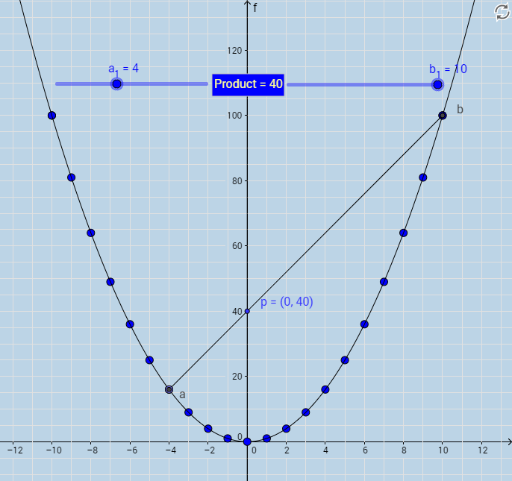
This example demonstrates the product relationship between a parabola and related shapes. It involves core mathematical concepts such as parabola, square, kite, quadratic equations, plane figures, and trigonometry. Construction highlights include using GeoGebra commands like Segment, Intersect, Circumference, PointIn, Point, and Distance. Suitable for high school students learning analytical geometry and geometric construction.
GeoGebra Commands & Parameters
Segment(W, X) → gIntersect(c, g) → b, aIntersect(f, g) → pCircumference(c) → circumferencecPointIn(c) → PointcPoint(c) → ZDistance(p, Z) → distancepZ
AI Drawing Prompt Reference
Draw a parabola and show the product relationship with related shapes, including a square and a kite. First, find the intersection points between the parabola and a line segment. Then, locate the intersection point between the parabola and another line segment. Next, draw the circumcircle of the parabola and mark a point on it. Finally, measure the distance between the intersection point and the marked point on the circumcircle to reveal the mathematical connection between these geometric objects.
The prompt above was compiled from the original drawing commands and is for reference only.