
Orthocenter of a Triangle - Dynamic Construction
Loading the math board and drawing, please wait…
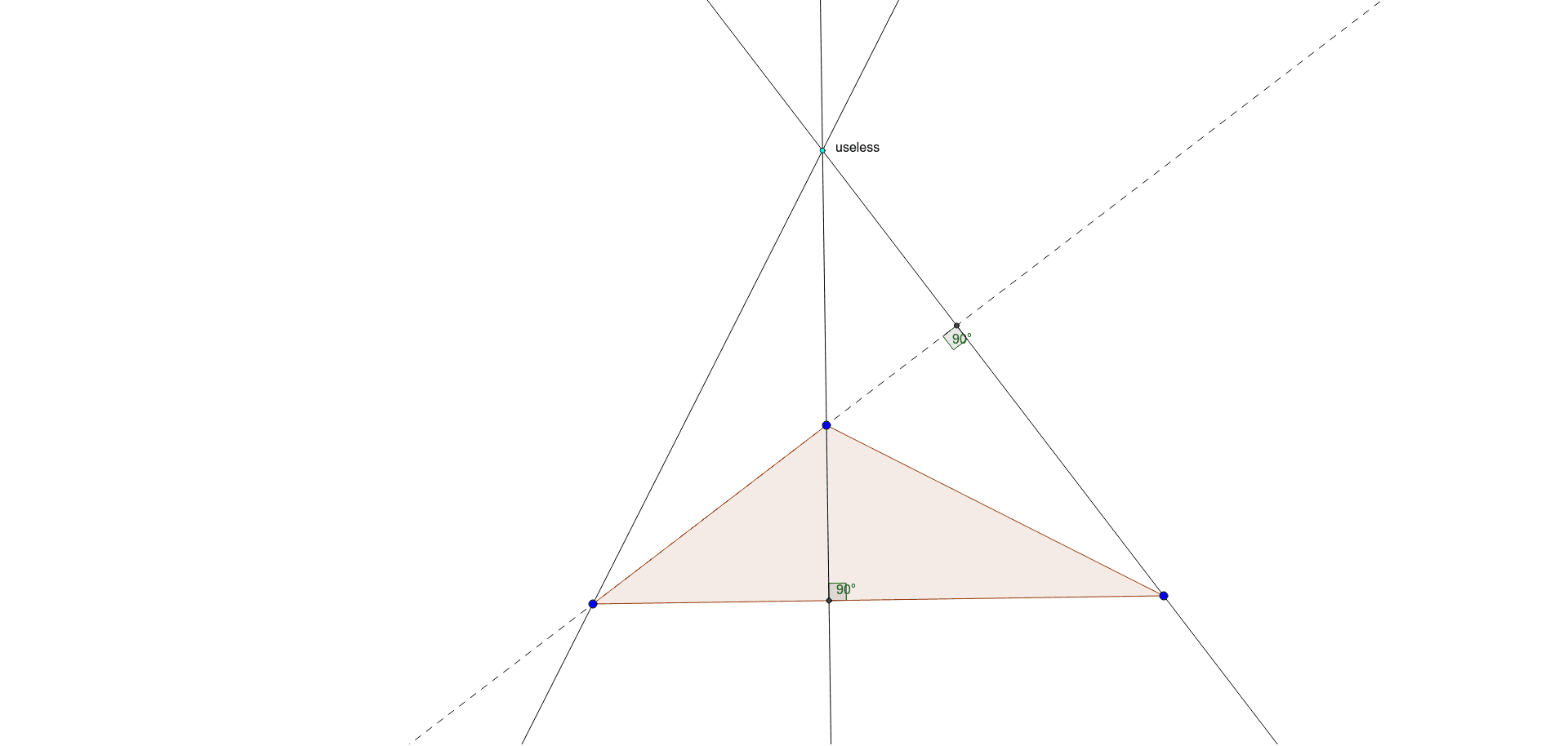
This GeoGebra example dynamically demonstrates the classic geometric fact that the three altitudes of a triangle are concurrent at the orthocenter. It covers the core concept of the orthocenter, the definition of altitudes, and the idea of concurrency. The construction uses the Polygon command to create triangle ABC, OrthogonalLine to draw perpendiculars from each vertex to the opposite side, Intersect to find the intersection points of these altitudes, and Line/Angle tools to label segments and angles, with a text object for explanation. Suitable for middle and high school geometry classes, this interactive model helps students visualize how the orthocenter moves inside, on, or outside the triangle depending on whether the triangle is acute, right, or obtuse, and supports inquiry-based learning about triangle centers.
GeoGebra Commands & Parameters
Polygon(A, B, C) → poly1, c, a, bOrthogonalLine(B, b) → fOrthogonalLine(A, a) → gOrthogonalLine(C, c) → hIntersect(f, g) → DIntersect(f, b) → ELine(B, A) → iAngle(C, E, B) → αIntersect(h, i) → FAngle(B, F, C) → β
AI Drawing Prompt Reference
Draw an arbitrary triangle with three vertices labeled. From each vertex, construct a perpendicular line to the opposite side, creating three altitudes. These altitudes intersect at a single point, the orthocenter, which should be marked. Also mark the foot of one altitude on its corresponding side, and display the angle formed by that foot, one vertex, and another vertex, as well as another angle formed by the foot, a vertex, and the third vertex. Use dashed lines or distinct colors for the altitudes to clearly show how the orthocenter lies inside, on, or outside the triangle.
The prompt above was compiled from the original drawing commands and is for reference only.