
Orthocenter Dynamic Construction (With Slider)
Loading the math board and drawing, please wait…
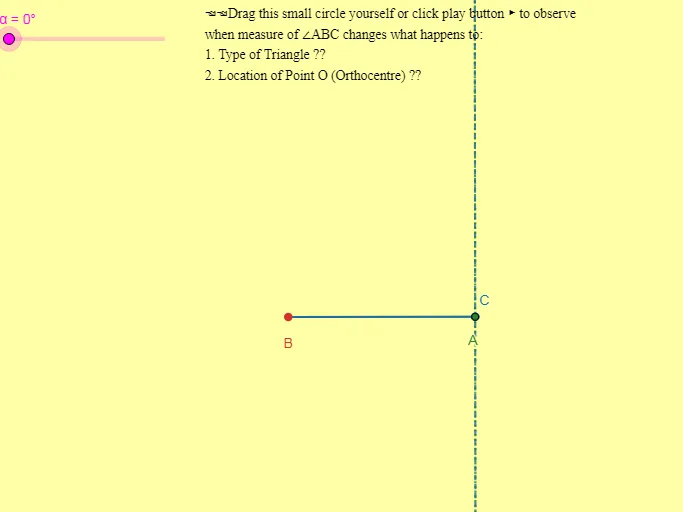
This example demonstrates how a triangle’s orthocenter changes dynamically when the triangle’s configuration is adjusted using a slider. It visualizes the three altitudes, their perpendicular constructions, and their intersection point as the orthocenter, highlighting how the orthocenter location evolves (including cases where it lies inside or outside the triangle depending on the shape). Key math concepts include triangle altitudes, perpendicular lines, the orthocenter as the common intersection of the altitudes, and angle/orthogonality relationships used to control the construction. The build is based on GeoGebra commands such as Segment (creating triangle sides and altitude segments), Rotate (producing or adjusting directions/angles), Angle (defining and monitoring angular constraints), Polygon (forming the triangle), OrthogonalLine (constructing the perpendiculars/altitudes), and Intersect (computing intersections to obtain the orthocenter and related points). The object set includes the triangle’s vertices (A, B, C) and additional constructed points (D, E, F, G, H, O) along with angle markers and parameters. Suitable for middle/high school geometry lessons and interactive geometry practice.
GeoGebra Commands & Parameters
Segment(A, B) → fRotate(A, α, B) → CAngle(A, B, C) → βSegment(B, C) → gPolygon(C, B, A) → t1, a, a', bOrthogonalLine(C, a') → hOrthogonalLine(B, b) → iOrthogonalLine(A, a) → jIntersect(h, j) → OIntersect(h, a') → DIntersect(b, i) → EIntersect(j, a) → FAngle(O, D, A) → γAngle(O, E, C) → δAngle(O, F, B) → ε
AI Drawing Prompt Reference
Draw a triangle ABC and use a slider to change its shape, observing how the orthocenter O dynamically changes. First, draw the three sides of the triangle, then construct the altitudes from each vertex, and find the orthocenter O at their intersection. Pay attention to how the orthocenter's position changes with the triangle's shape, including cases where it is inside or outside the triangle.
The prompt above was compiled from the original drawing commands and is for reference only.