
Orthocenter Construction by mpayne2018
Loading the math board and drawing, please wait…
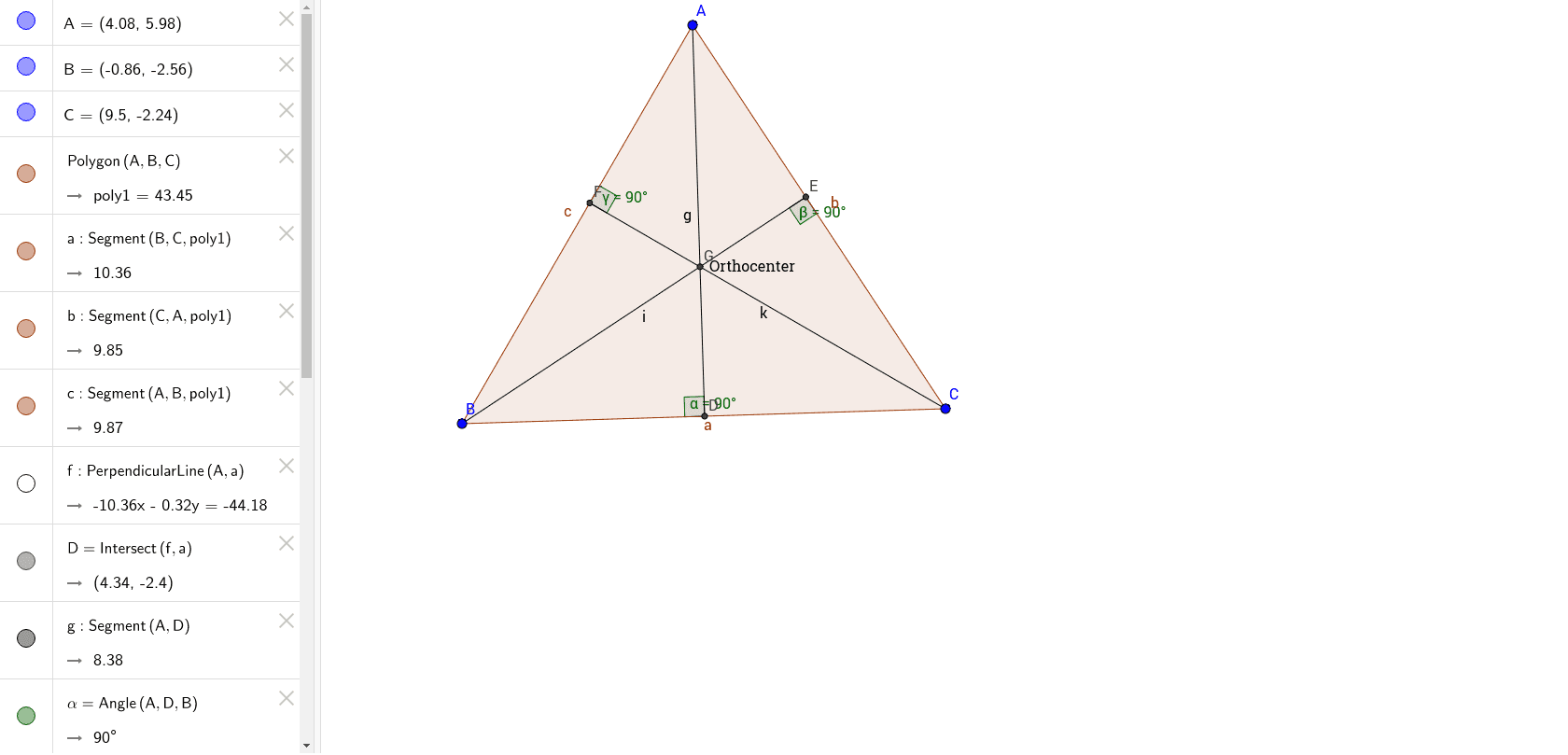
This example demonstrates how to construct the orthocenter of a triangle using GeoGebra commands. It involves core mathematical concepts such as perpendicular lines, intersection points, angles, polygon construction, trigonometric functions, and dilation. Key GeoGebra commands and objects used include Polygon, OrthogonalLine, Intersect, Segment, and Angle. Suitable for high school mathematics education to understand orthocenter properties and geometric construction techniques.
GeoGebra Commands & Parameters
Polygon(A, B, C) → poly1, c, a, bOrthogonalLine(A, a) → fIntersect(f, a) → DSegment(A, D) → gAngle(A, D, B) → αOrthogonalLine(B, b) → hIntersect(h, b) → ESegment(B, E) → iAngle(B, E, C) → βOrthogonalLine(C, c) → jIntersect(j, c) → FSegment(F, C) → kAngle(C, F, A) → γIntersect(g, i) → G
AI Drawing Prompt Reference
Draw a triangle ABC, then construct perpendicular lines from point A to side BC, intersecting at point D, and connect AD. Construct perpendicular lines from point B to side AC, intersecting at point E, and connect BE. Construct perpendicular lines from point C to side AB, intersecting at point F, and connect CF. The intersection of AD, BE, and CF is the orthocenter G of triangle ABC.
The prompt above was compiled from the original drawing commands and is for reference only.