
Observation of Skew Lines
Loading the math board and drawing, please wait…
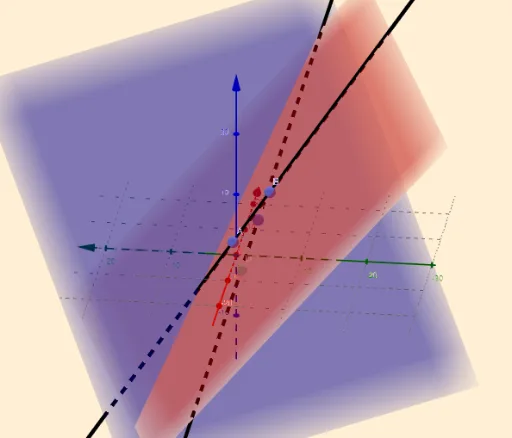
This example demonstrates the observation of skew lines. It involves core concepts of straight lines and coordinate geometry. Using GeoGebra commands such as Textfield, PointIn, Line, and Intersect, users can dynamically observe and understand the properties of skew lines. Suitable for high school mathematics education and learning.
GeoGebra Commands & Parameters
Textfield(a_1) → InputBox1_1Textfield(a_2) → InputBox2_1Textfield(b_1) → InputBox4_1Textfield(b_2) → InputBox5_1Textfield(c_1) → InputBox7_1Textfield(c_2) → InputBox8_1PointIn(b) → APointIn(b) → BLine(B, A) → fPointIn(a) → CPointIn(a) → DLine(C, D) → gIntersect(g, f) → E
AI Drawing Prompt Reference
Draw two skew lines. First, input the coordinates for points A and B on line f, then input the coordinates for points C and D on line g. Finally, find the intersection point E of these two lines. Note that these lines will not intersect, but you can observe their positions in space to understand the concept of skew lines.
The prompt above was compiled from the original drawing commands and is for reference only.