
Oblique Pyramid - 3D Geometric Model
Loading the math board and drawing, please wait…
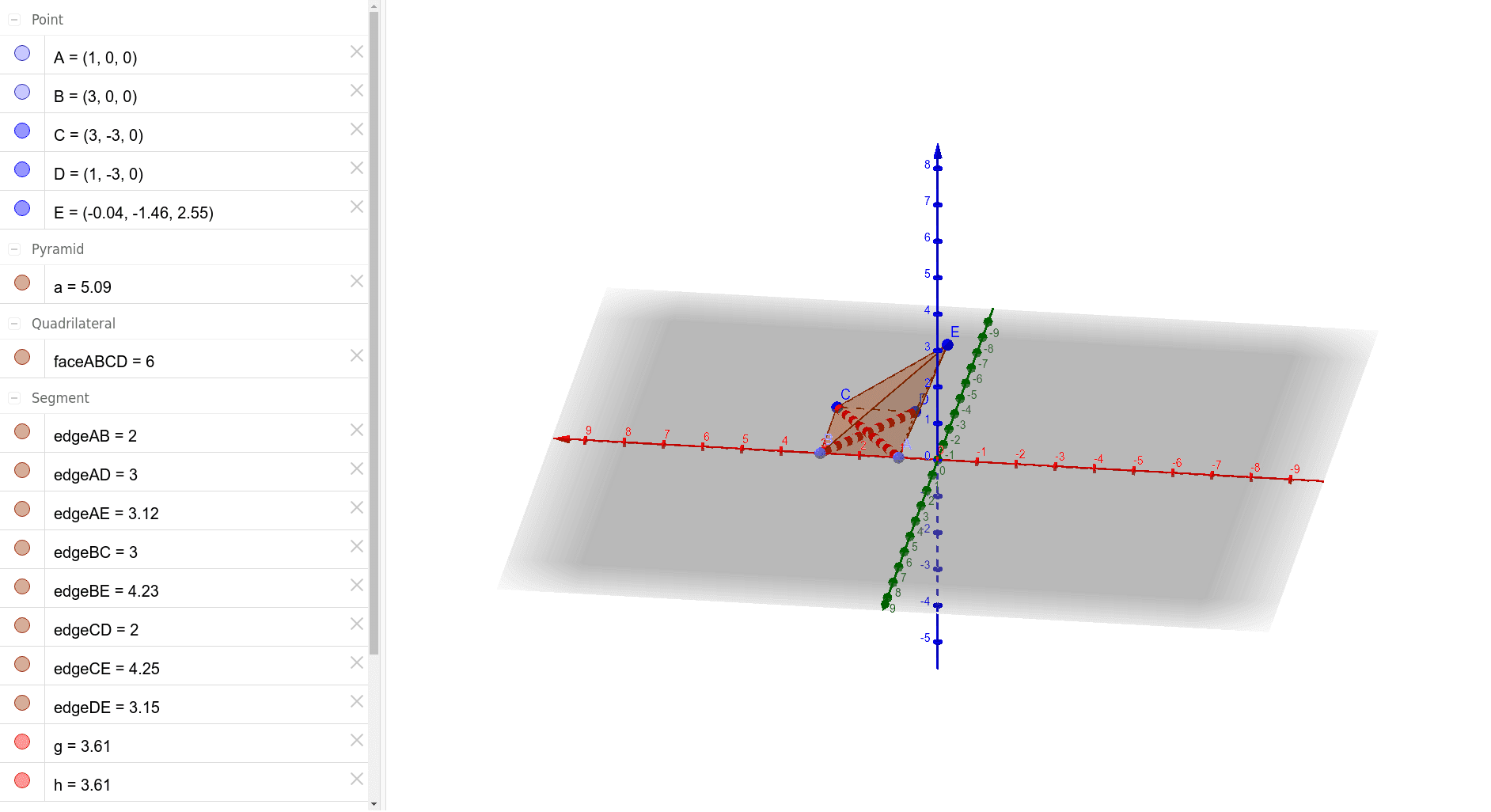
① This example demonstrates an oblique pyramid with a square base, where the apex is not directly above the center of the base, providing a clear visual of its 3D structure. ② Core mathematical concepts include the definition of a pyramid in solid geometry, its apex, base, lateral edges, lateral faces, and the distinction between slant height and perpendicular height, fostering spatial reasoning and classification of geometric solids. ③ Construction details: Using GeoGebra commands such as Point to create base vertices A, B, C, D and apex E, Pyramid to build the solid, and Segment to generate all edges (edgeAB, edgeBC, etc.) and faces (faceABCD, faceABE, etc.), with auxiliary objects g and h possibly for annotations or auxiliary lines. ④ Suitable for high school or early college students to understand geometric properties of pyramids, and as a visual teaching aid in solid geometry to differentiate between right and oblique pyramids.
GeoGebra Commands & Parameters
Point(xAxis) → APoint(xAxis) → BPyramid(A, B, C, D, E) → a, faceABCD, edgeAE, edgeBE, edgeCE, edgeDE, faceABE, faceBCE, faceCDE, faceADE, edgeAB, edgeBC, edgeCD, edgeADSegment(B, D) → gSegment(A, C) → h
AI Drawing Prompt Reference
Draw an oblique pyramid with a square base where the apex E is not directly above the center of the base. Start by creating four points A and B on the x-axis, then create points C and D to form the square base. Use these points and apex E to construct the oblique pyramid, generating all edges and faces. Finally, add auxiliary line segments g and h connecting the opposite vertices of the base.
The prompt above was compiled from the original drawing commands and is for reference only.