
Oblique Cylinder by alex.smith
Loading the math board and drawing, please wait…
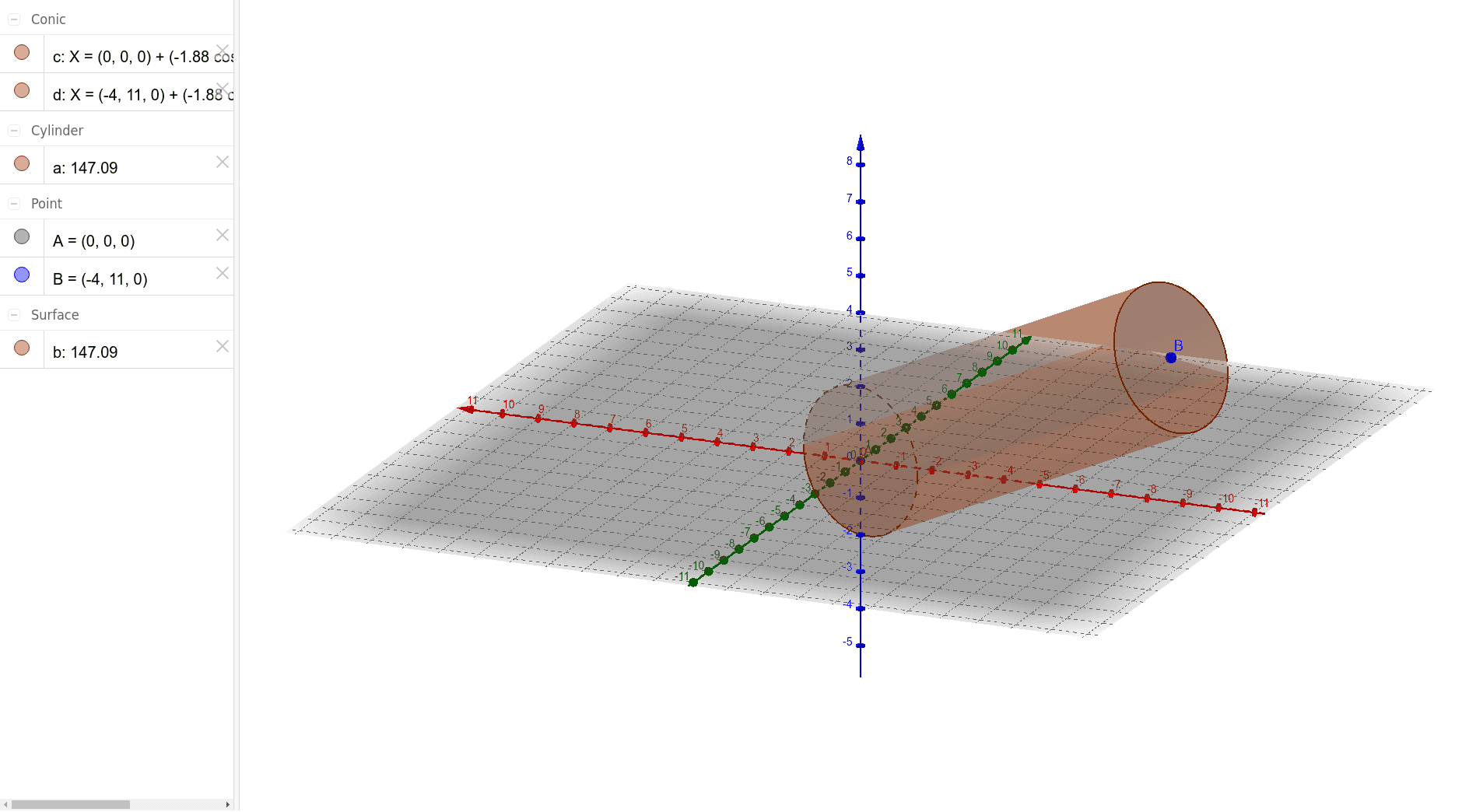
This example demonstrates the construction of an oblique cylinder. It involves the concept of solid geometry related to cylinders. By using the Intersect command, one can observe the cross-section formed by the intersection of the cylinder with a plane. This example is suitable for high school geometry courses, aiding students in understanding the properties of cylinders and their intersections with planes.
GeoGebra Commands & Parameters
Intersect(zAxis, xOyPlane) → ACylinder(A, B, 2) → a, c, d, b
AI Drawing Prompt Reference
Draw an oblique cylinder showing its intersection with a horizontal plane to observe the cross-section formed. This helps understand the properties of cylinders and their intersections with planes. Start by plotting the z-axis and xy-plane, finding their intersection point. Then draw a cylinder using this point and another as base centers, with a height of 2 units. The final image should display the oblique cylinder and its cross-section.
The prompt above was compiled from the original drawing commands and is for reference only.