
Net of a Cylinder by Michael Bailey
Loading the math board and drawing, please wait…
In collections
Chapter 11: Surface Area and Volume
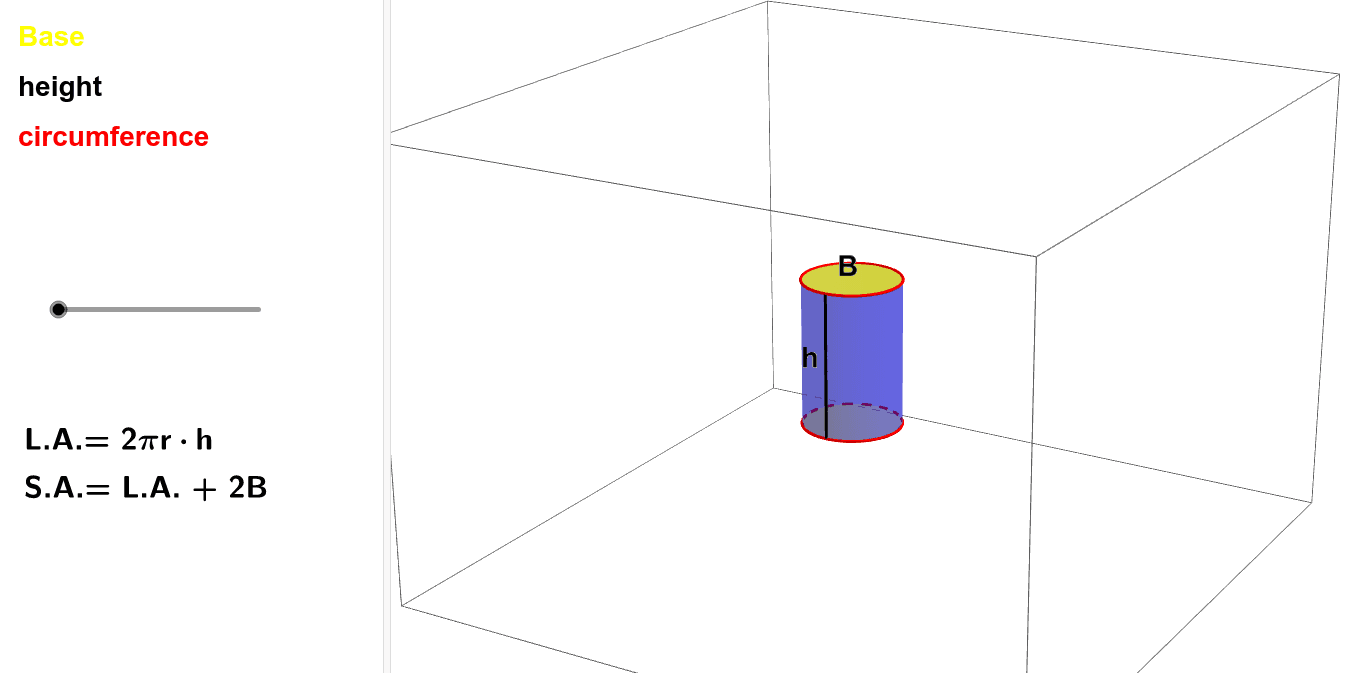
This example demonstrates the net of a cylinder. Key mathematical concepts include solid geometry and geometric construction. Using GeoGebra commands such as Circle, Line, and Rotate, the process of unfolding the cylinder's side is dynamically shown. Suitable for students at the junior high school level and above.
GeoGebra Commands & Parameters
Circle((0, 0, 3), (1, -1, 3), (0, -2, 3)) → cIf(t < 1, Surface[(r * sin((t * θ))), ((-r) * (1 - cos((t * θ)))), u, t, -3.14159, 3.141592653589793, u, 0, 3], Surface[t, 0, u, t, -3.14159, 3.141592653589793, u, 0, 3]) → aLine(A, B) → bRotate(c, (-α), b) → c'Circle((0, 0, 0), (1, -1, 0), (0, -2, 0)) → dRotate(d, (-α), y = 0) → d'If(t < 1, ((r * sin((π * θ))), ((-r) * (1 - cos((π * θ)))), 3), (3.141592653589793, 0, 3)) → CIf(t < 1, ((r * sin((π * θ))), ((-r) * (1 - cos((π * θ)))), 0), (3.141592653589793, 0, 0)) → DMidpoint(C, D) → ESegment(C, D) → eRotate(F, (-α), b) → F'Midpoint(G, F') → HRotate(c, (-α), b) → c'_1Rotate(d, (-α), y = 0) → d'_1If(t < 1, CurveCartesian[(r * sin((t * θ))), ((-r) * (1 - cos((t * θ)))), 0, t, -3.14159, 3.141592653589793], CurveCartesian[t, 0, 0, t, -3.14159, 3.141592653589793]) → fIf(t < 1, CurveCartesian[(r * sin((t * θ))), ((-r) * (1 - cos((t * θ)))), 3, t, -3.14159, 3.141592653589793], CurveCartesian[t, 0, 3, t, -3.14159, 3.141592653589793]) → gSegment((0, -2, 0), (0, -2, 3)) → hIf(t < 1, ((r * sin(((-π) * θ))), ((-r) * (1 - cos(((-π) * θ)))), 3), (-3.141592653589793, 0, 3)) → IIf(t < 1, ((r * sin(((-π) * θ))), ((-r) * (1 - cos(((-π) * θ)))), 0), (-3.141592653589793, 0, 0)) → JSegment(I, J) → j
AI Drawing Prompt Reference
Draw a cylinder net by first creating a circular base, then rotating to form the side, followed by creating another circular base and rotating to form the other side, and finally connecting the circular edges of both sides.
The prompt above was compiled from the original drawing commands and is for reference only.