
Naming Figure 2
Loading the math board and drawing, please wait…
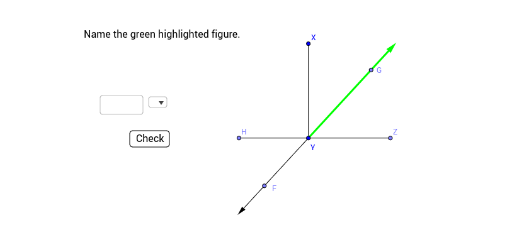
This example demonstrates how to name and construct geometric figures using GeoGebra commands. It involves core math concepts like angles, circles, polygons, vectors, linear regression, and scatter plots. Key construction elements include Textfield, SelectedIndex, Segment, OrthogonalLine, Point, Line, Vector, Angle, Element, SelectedElement. Suitable for high school mathematics teaching and geometric construction learning.
GeoGebra Commands & Parameters
Textfield() → InputBox1SelectedIndex(listType) → symbolSegment(X, Y) → fOrthogonalLine(Y, f) → gPoint(g) → ZSegment(Y, Z) → iSegment(Y, A) → kLine(A, Y) → lVector(Y, A) → uPoint(l) → CVector(Y, C) → wPoint(w) → FPoint(u) → GLine(Z, Y) → mPoint(m) → HSegment(Y, H) → nAngle(X, Y, H) → αElement(listType, symbol) → inputSelectedElement(listType) → element
AI Drawing Prompt Reference
Draw a geometric construction: start with a segment, construct a perpendicular line at one endpoint, pick a point on it, and connect it to both endpoints to form a triangle. From the other endpoint, draw a ray, place points on it to create vectors, and also place a point on the original segment for another vector. Through the foot of the perpendicular, draw a line, pick a point on it, and connect it to the foot to form a new segment. Finally, mark the angle formed by three segments and show a dropdown box to switch between figure elements.
The prompt above was compiled from the original drawing commands and is for reference only.