
Naming Figure 1
Loading the math board and drawing, please wait…
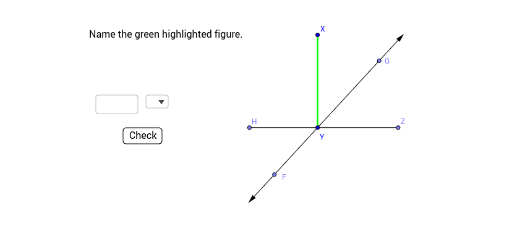
This example demonstrates how to name and construct geometric figures using GeoGebra commands. Core math concepts include segments, vectors, angles, points, and lines. Construction highlights involve commands like Textfield, SelectedIndex, Segment, OrthogonalLine, Point, Line, Vector, Angle, Element, SelectedElement. Suitable for high school mathematics teaching or geometric construction practice.
GeoGebra Commands & Parameters
Textfield() → InputBox1SelectedIndex(listType) → symbolSegment(X, Y) → fOrthogonalLine(Y, f) → gPoint(g) → ZSegment(Y, Z) → iSegment(Y, A) → kLine(A, Y) → lVector(Y, A) → uPoint(l) → CVector(Y, C) → wPoint(w) → FPoint(u) → GLine(Z, Y) → mPoint(m) → HSegment(Y, H) → nAngle(X, Y, H) → αElement(listType, symbol) → inputSelectedElement(listType) → element