
MYP Math 4 Right Triangle Ratios - Using 30 degrees
Loading the math board and drawing, please wait…
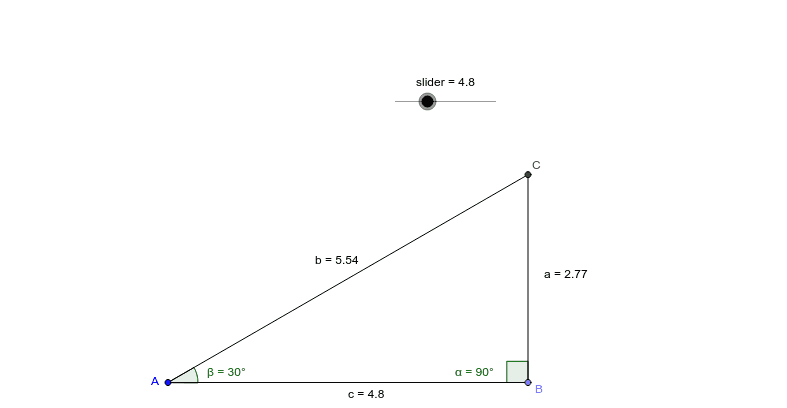
This example demonstrates the patterns in the ratios of a special 30-degree right triangle. It involves core math concepts like right triangles, trigonometry, geometric constructions, and ratios. Constructed using GeoGebra commands like Point, Segment, Rotate, Angle, Ray, Intersect, and objects such as sliders and geometric points/segments. Suitable for MYP Math 4 students exploring trigonometric properties and special triangles.
GeoGebra Commands & Parameters
Point(Circle[A, slider]) → BSegment(A, B) → cRotate(A, 270*°, B) → A'Angle(A', B, A) → αRay(B, A') → b_1Rotate(B, 30*°, A) → B'Angle(B, A, B') → βRay(A, B') → c_1Intersect(c_1, b_1) → CSegment(A, C) → bSegment(B, C) → a
AI Drawing Prompt Reference
Draw a right triangle with a 30-degree acute angle. Start with a horizontal segment as the base. Use a slider to control the radius of a circle centered at one endpoint, and place a point on the circle to define the other endpoint of the base. Rotate the first endpoint around the second by 270 degrees to create a ray. Then rotate the base's other endpoint around the first by 30 degrees to create another ray. The two rays intersect at a point; connect this intersection to both base endpoints to form the triangle. Label the 30-degree angle and show the side length ratios.
The prompt above was compiled from the original drawing commands and is for reference only.