
Music Theory via Note Combinations
Loading the math board and drawing, please wait…
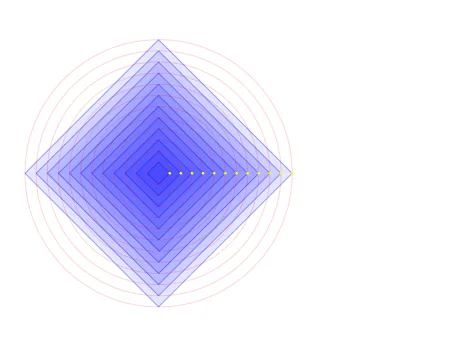
This example demonstrates the geometric representation of music theory using one note combinations via GeoGebra. It involves core math concepts like set theory, coordinate geometry, geometric construction, and function graphing. Key GeoGebra commands and objects used include Circle, Intersect, Polygon, Point, Area, and PointIn. Suitable for high school students and math enthusiasts exploring the intersection of music and mathematics.
GeoGebra Commands & Parameters
Circle((0, 0), A) → aCircle((0, 0), Bb) → bbCircle((0, 0), B) → bCircle((0, 0), C) → cCircle((0, 0), Db) → dbCircle((0, 0), D) → dCircle((0, 0), Eb) → ebCircle((0, 0), E) → eCircle((0, 0), F) → fCircle((0, 0), Gb) → gbCircle((0, 0), G) → gCircle((0, 0), Ab) → abIntersect(a, yAxis, 2) → HIntersect(a, xAxis, 1) → IIntersect(a, yAxis, 1) → JPolygon(A, H, I, J) → q1, a_1, h, i, jIntersect(bb, yAxis, 1) → KIntersect(bb, yAxis, 2) → LIntersect(bb, xAxis, 1) → MPolygon(K, Bb, L, M) → q2, k, l, l_1, mPoint(yAxis) → NIntersect(b, yAxis, 2) → OIntersect(b, xAxis, 1) → PPolygon(N, B, O, P) → q3, n, b_1, o, pIntersect(c, xAxis, 1) → RPoint(yAxis) → SPolygon(C, Q, R, S) → q4, c_1, q, r, sIntersect(db, yAxis, 2) → TIntersect(db, xAxis, 1) → UIntersect(db, yAxis, 1) → VPolygon(Db, T, U, V) → q5, t, t_1, u, vIntersect(d, yAxis, 1) → WIntersect(d, yAxis, 2) → ZIntersect(d, xAxis, 1) → A_1Polygon(W, D, Z, A_1) → q6, w, d_1, z_1, f_1Point(eb) → B_1Intersect(eb, yAxis, 2) → C_1Intersect(eb, xAxis, 1) → D_1Polygon(B_1, Eb, C_1, D_1) → q7, g_1, h_1, i_1, j_1Point(e) → F_1Intersect(e, xAxis, 1) → G_1Polygon(E_1, E, F_1, G_1) → q8, e_1, e_2, k_1, m_1Intersect(f, yAxis, 1) → H_1Intersect(f, yAxis, 2) → I_1Intersect(f, xAxis, 1) → J_1Polygon(H_1, F, I_1, J_1) → q9, n_1, f_2, p_1, q_1Intersect(gb, yAxis, 1) → K_1Intersect(gb, yAxis, 2) → L_1Intersect(gb, xAxis, 1) → M_1Polygon(K_1, Gb, L_1, M_1) → q10, r_1, s_1, g_2, h_2Intersect(g, yAxis, 1) → N_1Intersect(g, yAxis, 2) → O_1Intersect(g, xAxis, 1) → P_1Polygon(N_1, G, O_1, P_1) → q11, i_2, g_3, o_1, j_2Intersect(ab, yAxis, 2) → Q_1Intersect(ab, xAxis, 1) → R_1Intersect(ab, yAxis, 1) → S_1Polygon(Ab, Q_1, R_1, S_1) → q12, k_2, l_2, m_2, n_2Area(ab) → u_1PointIn(ab) → PointabArea(g) → v_1PointIn(g) → PointgArea(gb) → w_1PointIn(gb) → PointgbArea(f) → a_2PointIn(f) → PointfArea(e) → b_2PointIn(e) → PointeArea(eb) → c_2PointIn(eb) → PointebArea(d) → d_2PointIn(d) → PointdArea(db) → o_2PointIn(db) → PointdbArea(c) → p_2PointIn(c) → Pointc_{1}PointIn(q12) → Pointq12_{1}PointIn(q12) → Pointq12_{2}Area(a) → q_2PointIn(a) → PointaArea(bb) → r_2PointIn(bb) → PointbbArea(b) → s_2PointIn(b) → PointbPointIn(q12) → Pointq12Area(c) → t_2PointIn(c) → Pointc
AI Drawing Prompt Reference
Draw 12 circles centered at the origin, each representing a note, then construct 9 quadrilaterals using the intersections of these circles with the axes, each quadrilateral representing a note combination.
The prompt above was compiled from the original drawing commands and is for reference only.