
Multiplying vs. Raising to a Power
Loading the math board and drawing, please wait…
In collections
Potenzen - Einführung
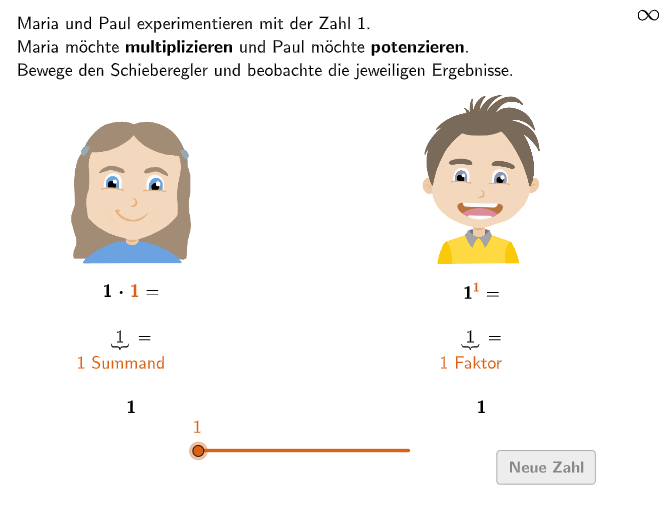
This example demonstrates the comparison of results between multiplication and exponentiation through interactive instances; core math concepts include multiplication, exponentiation, repeated multiplication, and positive integer exponents; constructed using GeoGebra commands like Sequence, Element, Textfield, Join, Point, Text; suitable for 7th-8th grade students to understand the nature of exponentiation and its difference from multiplication.
GeoGebra Commands & Parameters
Sequence(Random[1, 10], i, 1, 10) → randomNumbers, {10, 8, 4, 3, 6, 2, 4, 5, 9, 1}Element(randomNumbers, Mod[questionCount, Length[randomNumbers]] + 1) → randomNumberTextfield(input) → inputBoxJoin({{1, RandomElement[2…9], RandomElement[10…20]}, Sequence[RandomElement[1…20], k, 1, 200]}) → ListeXPoint(Line[A, B]) → CText(txtOriginalM01, Midpoint[A, B] + (0, -0.5), false, true, 0, 0) → txtM01Text(txtOriginalP01, Midpoint[C, D] + (0, -0.5), false, true, 0, 0) → txtP01Text(txtOriginalM04, Midpoint[A, B] + (0, -3.25), false, true, 0, 0) → txtM04Text(txtOriginalM02, Midpoint[A, B] + (0, -1.7), false, true, 0, 0) → txtM02Text(txtOriginalP02, Midpoint[C, D] + (0, -1.7), false, true, 0, 0) → txtP02Text(txtOriginalP04, Midpoint[C, D] + (0, -3.25), false, true, 0, 0) → txtP04Text(txtOriginalM03, Midpoint[A, B] + (-0.25, -2.2), false, true, 0, 0) → txtM03Text(txtOriginalP03, Midpoint[C, D] + (-0.25, -2.2), false, true, 0, 0) → txtP03
AI Drawing Prompt Reference
Create a graph to compare multiplication and exponentiation. First, generate 10 random numbers between 1 and 10, then select one of them. Add a text field for user input. Next, create a list of random numbers between 2 and 20, and draw a line segment. Below the midpoint of the line segment, label the definitions of multiplication and exponentiation, as well as their differences.
The prompt above was compiled from the original drawing commands and is for reference only.