
Multiplication Table 2 Practice (Interactive Random Quiz)
Loading the math board and drawing, please wait…
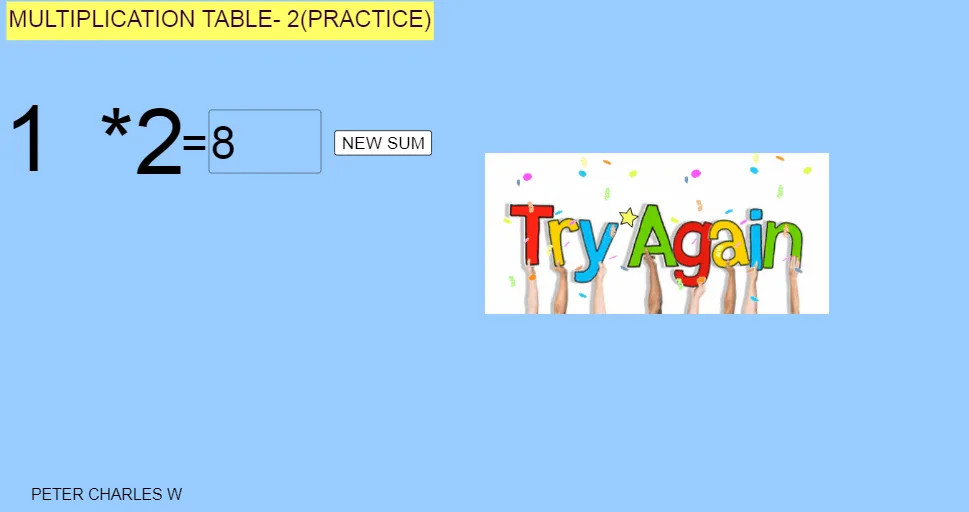
① This GeoGebra example is an interactive practice tool for the multiplication table of 2, generating random questions and allowing users to input answers. ② The core mathematical concept is integer multiplication, specifically the 2 times table, reinforcing basic arithmetic fluency and memorization. ③ Construction details: based on the summary, it uses the Random command to generate random multiplication problems, Textfield and InputBox1 for answer entry, button1 to submit or refresh, text1, text2, text3 for displaying questions and feedback, pic1, pic2, pic3 as illustrative images, and A, B, D, E as auxiliary points or variables. The interactivity is achieved through buttons and input boxes. ④ Suitable for early elementary students (ages 6-8) as classroom practice or homework, and for math enrichment to make learning multiplication tables engaging.
GeoGebra Commands & Parameters
Random(0, 10) → aTextfield(c) → InputBox1
AI Drawing Prompt Reference
Create an interactive practice page for the 2 times multiplication table. Include a text input field where the learner can type an answer, along with controls to submit or refresh the question. Each round should display a randomly generated integer multiplication question in the form “2 × (random number)”, where the random number is chosen from 0 to 10. Add display areas to show the current question text and the answer feedback. Use minimal supporting variables or placeholders to carry the generated value and update the text, following the flow: generate a random number, update the question display, then accept the user input and show feedback.
The prompt above was compiled from the original drawing commands and is for reference only.