
Multiplication Practice by Misty Gonzales
Loading the math board and drawing, please wait…
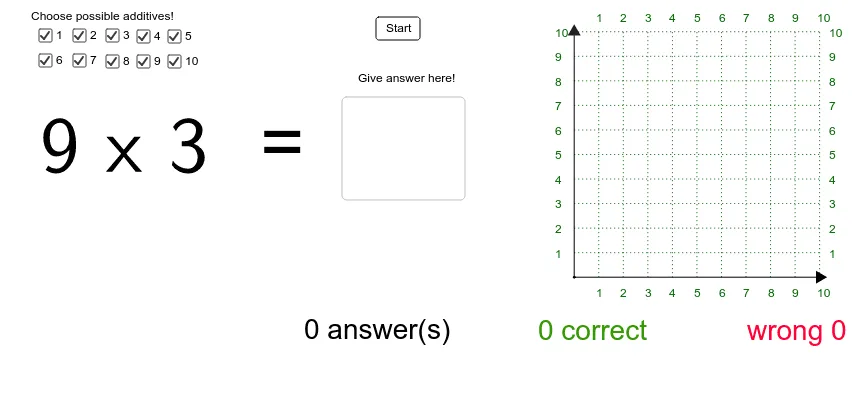
This example demonstrates multiplication facts and provides practice for students to master multiplication skills. It uses various GeoGebra commands such as Textfield, Length, Point, Segment, Rotate, Angle, Sequence, etc., to help students understand the patterns and applications of multiplication. Suitable for high-grade elementary and low-grade middle school students.
GeoGebra Commands & Parameters
Textfield(c_{rtext}) → rLength(success_{list}) → successLength(failed_{list}) → failedPoint(Circle[A, 5]) → BSegment(A, B) → dRotate(B, 90*°, A) → B'Angle(B, A, B') → αSegment(A, B') → eSequence(Text[i, (x(A) + i / 2 - 0.06, y(A) - 0.4)], i, 1, 10) → x_{textlist}Sequence(Segment[(x(A) + i / 2, y(A)), (x(A) + i / 2, y(A) + 5)], i, 1, 10) → x_{list}Sequence(Segment[(x(A), y(A) + i / 2), (x(A) + 5, y(A) + i / 2)], i, 1, 10) → y_{list}Sequence(Text[i, (x(A) + i / 2 - 0.06, y(A) + 5.2)], i, 1, 10) → x_{textlist2}Sequence(Text[i, (x(A) + 5.2, y(A) + i / 2 - 0.1)], i, 1, 10) → y_{textlist2}Sequence(Text[i, (x(A) - 0.4, y(A) + i / 2 - 0.1)], i, 1, 10) → y_{textlist}
AI Drawing Prompt Reference
Draw a multiplication practice chart: start with a point as origin, draw a circle of radius 5, pick a point on the circle, connect it to the origin with a segment, rotate that point 90 degrees around the origin, draw another segment, and mark the right angle between them. From the origin, draw 10 equally spaced horizontal and vertical lines to form a 10 by 10 grid, label the top and left sides with numbers 1 to 10, and also label the left and bottom sides. Place a text input box next to the grid for entering answers, and show counts of correct and incorrect attempts.
The prompt above was compiled from the original drawing commands and is for reference only.