
Mixed Numbers
Loading the math board and drawing, please wait…
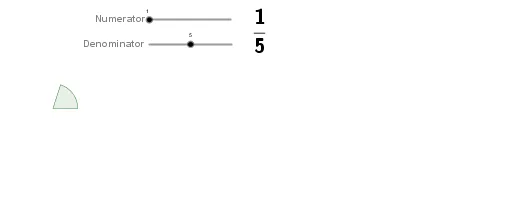
This example demonstrates the concept of mixed numbers, including their construction and conversion between improper fractions and whole numbers. It involves core mathematical concepts such as fractions, integers, and decimals. The construction uses GeoGebra commands like Sequence and objects like a, b, r, f, p, and various text and list elements to represent and manipulate mixed numbers. It is suitable for middle school mathematics education, helping students understand the representation and operations of mixed numbers.
GeoGebra Commands & Parameters
Sequence(Sequence[CircleSector[(((2.5 * r) * k), 0), ((r * cos((((i - 1) / b * 360))°)) + ((2.5 * r) * k), (r * sin((((i - 1) / b * 360))°))), ((r * cos(((i / b * 360))°)) + ((2.5 * r) * k), (r * sin(((i / b * 360))°)))], i, 1, Min[a - (k * b), b]], k, 0, floor(a / b)) → liste1Sequence(Circle[(((2.5 * r) * k), 0), (((2.5 * r) * k) + r, 0)], k, 0, a - 1) → list1
AI Drawing Prompt Reference
Draw a sequence of sectors, each sector consisting of a circle with a center on the x-axis and decreasing radius, and another circle centered on the edge of the sector, tightly arranged to form a composite shape that illustrates the concept of fractions and decimals.
The prompt above was compiled from the original drawing commands and is for reference only.