
Mix Up Shape Template
Loading the math board and drawing, please wait…
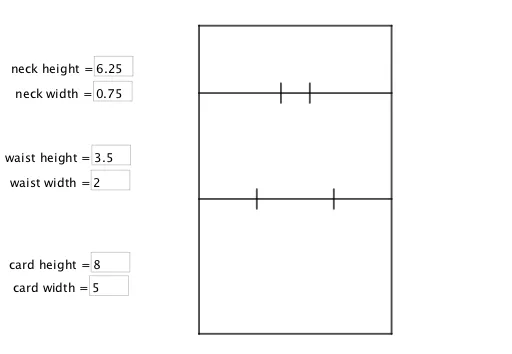
This example demonstrates how to create custom shapes by combining various geometric elements. It involves core math concepts like Probability & Statistics, Transformations, Pythagorean Theorem, and Coordinate Geometry. Construction highlights include using commands like Segment, Textfield, Polygon, and objects such as neck, waist, nw, ww, j, k, p, n, l, m, and input boxes. Suitable for high school students exploring geometric transformations, probability calculations, and graphic design.
GeoGebra Commands & Parameters
Segment((0, waist), (5, waist)) → jSegment((0, neck), (5, neck)) → kSegment((2.5 - (0.5 * nw), neck - 0.25), (2.5 - (0.5 * nw), neck + 0.25)) → pSegment((2.5 + (0.5 * nw), neck - 0.25), (2.5 + (0.5 * nw), neck + 0.25)) → nSegment((2.5 - (0.5 * ww), waist - 0.25), (2.5 - (0.5 * ww), waist + 0.25)) → lSegment((2.5 + (0.5 * ww), waist - 0.25), (2.5 + (0.5 * ww), waist + 0.25)) → mTextfield(neck) → InputBox1Textfield(nw) → InputBox2Textfield(waist) → InputBox3Textfield(ww) → InputBox4Textfield(ch) → InputBox5Textfield(cw) → InputBox6Polygon((0, 0), (cw, 0), (cw, ch), (0, ch)) → q2, q, r, s, t