
Midpoints and Centroid of a Rhombus Construction
Loading the math board and drawing, please wait…
In collections
geometriadinamica.es
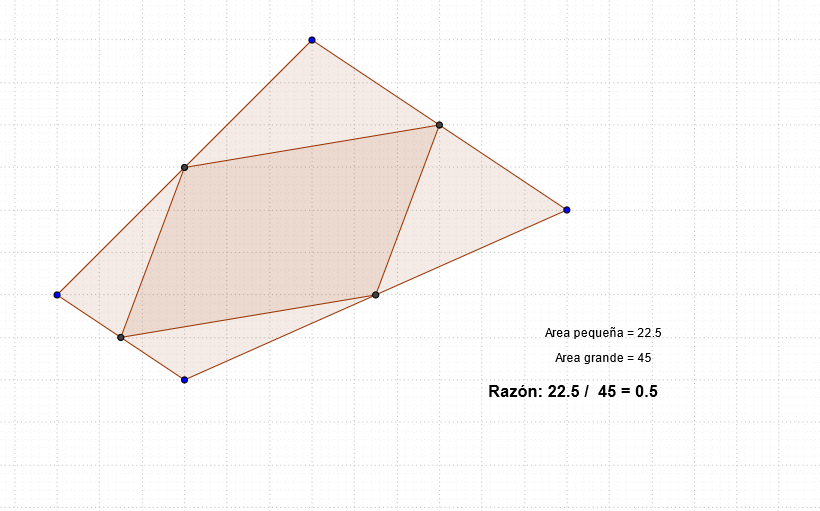
This GeoGebra example demonstrates how to construct a rhombus and the quadrilateral formed by connecting the midpoints of its sides, exploring the centroid properties. Key mathematical concepts include: rhombus properties (a parallelogram with equal adjacent sides), geometric meaning of midpoints, and centroid (barycenter) calculation of polygons. Construction details: Based on the summary, it uses the Polygon command to draw rhombus ABCD and inscribed quadrilateral EFGH, with Midpoint command to obtain side midpoints. Objects include points A, B, C, D, polygons poly1 and poly2, edge length variables a through h, and text annotations. Suitable for middle to high school mathematics learners, ideal for exploring midpoint coordinates, parallelogram properties, and centroid calculations.
GeoGebra Commands & Parameters
Polygon(A, B, C, D) → poly1, a, b, c, dMidpoint(d) → EMidpoint(c) → FMidpoint(b) → GMidpoint(a) → HPolygon(E, F, G, H) → poly2, e, f, g, h
AI Drawing Prompt Reference
Draw a rhombus-like quadrilateral ABCD in the plane. Then mark the midpoint of each side AB, BC, CD, and DA, obtaining points E, F, G, and H respectively. Connect these midpoints in order to form the quadrilateral EFGH. The diagram should emphasize the relationship between the rhombus sides and their midpoint positions, and the resulting quadrilateral formed by joining the midpoints.
The prompt above was compiled from the original drawing commands and is for reference only.