
Median and Equal-Area Division: A Dynamic Geometry Demonstration
Loading the math board and drawing, please wait…
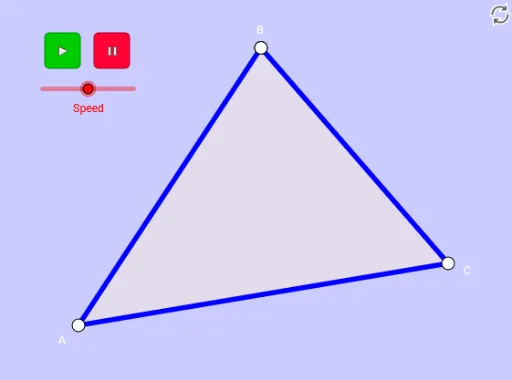
① This example dynamically demonstrates that a median of a triangle divides it into two regions of equal area, using interactive geometry to visualize the property. ② Core mathematical concepts include triangle medians, equal-area decomposition, vector translation, rotation, reflection, and polygon area relationships. ③ Construction highlights: using GeoGebra commands such as Midpoint, Segment, Point, Vector, Translate, Polygon, Rotate, and Mirror, the triangle ABC and its midpoints are constructed; multiple auxiliary polygons are generated via translations and rotations, with sliders (Speed) and buttons (Bouton1, Bouton2) to animate and verify that the areas on both sides of the median remain equal. ④ Suitable for middle and high school students and teachers exploring geometric properties, area comparison, and dynamic construction, as well as for investigating the role of vectors and transformations in geometric proofs.
GeoGebra Commands & Parameters
Midpoint(A, C) → MSegment(B, M) → fMidpoint(B, C) → ESegment(M, E) → gMidpoint(M, B) → GPoint(Segment[A, M], m) → M_1Segment(A, M_1) → jPoint(Segment[A, M], m) → IPoint(Segment[M, C], m - 2) → M_2Vector(I, M_2) → uTranslate(A, u) → A'Translate(M_1, u) → HSegment(A', H) → j'Segment(A, A') → kSegment(A, A') → lSegment(I, M_2) → nSegment(M_2, C) → pSegment(B, A) → qSegment(B, C) → rPoint(Segment[B, M], m - 4) → M_3Segment(B, M_3) → sPoint(Segment[M, E], m - 6) → M_4Segment(M, M_4) → tPolygon(M, E, C) → poly2, c_1, d, ePoint(Segment[E, G], m - 8) → M_5Rotate(B, ((m - 10) * π), G) → B'Rotate(G, ((m - 10) * π), G) → G'Rotate(E, ((m - 10) * π), G) → E'Mirror(B, G) → B'_1Mirror(G, G) → G'_1Mirror(E, G) → E'_1Rotate(G, (-(((m - 10) * π))), G) → G'_2Rotate(M, ((m - 10) * π), G) → D'Rotate(E, ((m - 10) * π), G) → E'_2Polygon(M, E, B) → poly1, b, d_1, e_1Polygon(B, A, C) → poly3, c, b_1, aRotate(B, ((m - 8) * π), G) → B'_2Rotate(A, ((m - 8) * π), G) → A'_1Rotate(C, ((m - 8) * π), G) → C'Rotate(M, ((m - 8) * π), G) → D'_1Rotate(E, ((m - 8) * π), G) → E'_3Rotate(B, ((m - 8) * π), G) → B'_3Polygon(D'_1, E'_3, B'_3) → poly1', b'_3, d'_1, e'_3Mirror(M, G) → D'_2Mirror(E, G) → E'_4Mirror(B, G) → B'_4Polygon(D'_2, E'_4, B'_4) → poly1'_1, b'_4, d'_2, e'_4Point(Segment[M, A], m - 10) → M_6Vector(M, M_6) → vTranslate(M, v) → D'_3Translate(E, v) → E'_5Translate(C, v) → C'_1Polygon(D'_3, E'_5, C'_1) → poly2', c'_1, d'_3, e'_5
AI Drawing Prompt Reference
Draw a triangle with a median from one vertex to the midpoint of the opposite side. Place a moving point on the median, and use it to generate several auxiliary triangles via translation and rotation, arranged symmetrically around the median. Include a slider to control the point's position, dynamically showing that the areas on both sides of the median remain equal. The figure contains multiple rotated and mirrored triangle copies, along with connecting segments, forming a symmetric geometric layout.
The prompt above was compiled from the original drawing commands and is for reference only.