
McDonald's Logo
Loading the math board and drawing, please wait…
In collections
Project 2Modeling Parabolas using GeoGebraUs
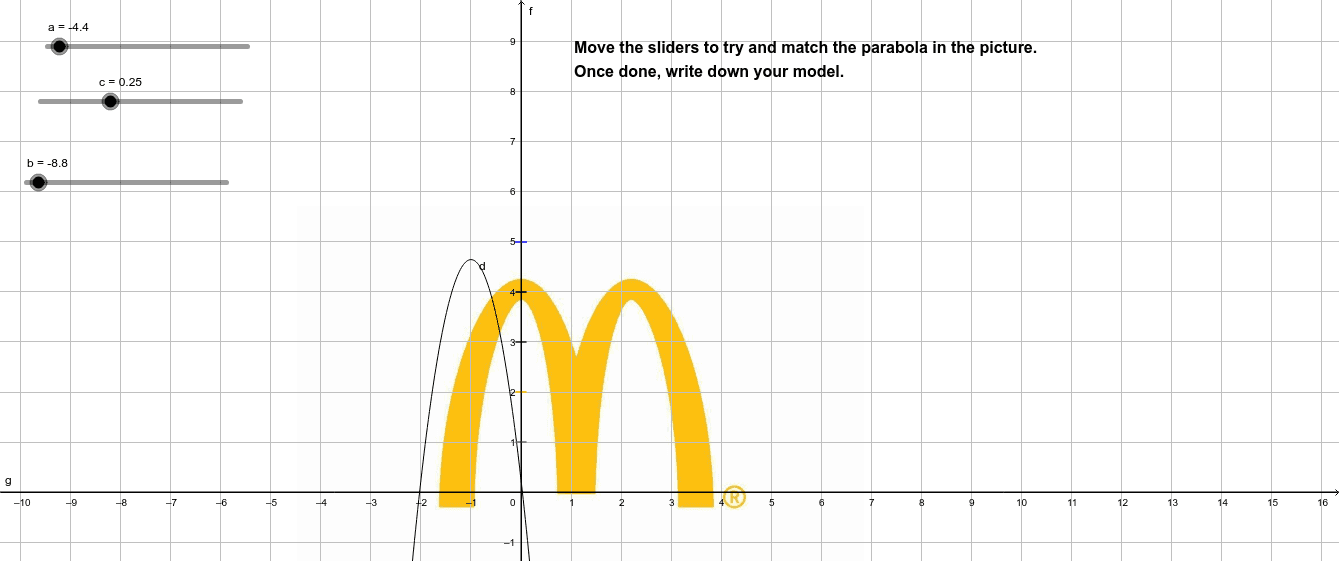
This GeoGebra example demonstrates the McDonald's logo through geometric construction. It involves concepts of triangles and polygons. Using GeoGebra commands such as a, c, b, d, text1, pic1, A, B, pic2, f, g, p, h, q, r, s, the logo can be constructed. Suitable for middle and high school students to learn about geometric construction and identification of shapes.
GeoGebra Commands & Parameters
Numeric a(-4.4)Numeric c(0.25)Numeric b(-8.8)y = (a * x^(2)) + (b * x) + cPoint A(-4.49, -1.77)Point B(6.85, -1.77)x = 0y = 0p(x) = If[-0.1 ≤ x ≤ 0.1, 5]h(x) = If[-0.1 ≤ x ≤ 0.1, 4]q(x) = If[-0.1 ≤ x ≤ 0.1, 3]r(x) = If[-0.1 ≤ x ≤ 0.1, 2]s(x) = If[-0.1 ≤ x ≤ 0.1, 1]
AI Drawing Prompt Reference
Draw a McDonald's-style logo. Start with an upward-opening parabola as the main outline, symmetric about the vertical axis. Place two points below the parabola on the left and right as base supports. Add a vertical symmetry line and a horizontal axis. Then draw five short horizontal line segments of equal length, evenly spaced from top to bottom on both sides of the vertical axis, creating a layered arch effect. The final figure consists of the parabola, two base points, and five horizontal lines.
The prompt above was compiled from the original drawing commands and is for reference only.