
Maximize Area of the Rectangle for Given Perimeter
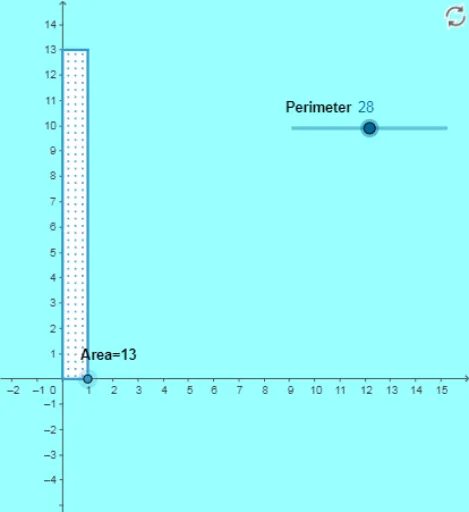
Loading the math board and drawing, please wait…
This example demonstrates how to construct the largest possible rectangle given a fixed perimeter. Key math concepts include perimeter, area, coordinate geometry, and optimization. Construction highlights involve commands like Segment, Point, OrthogonalLine, Distance, Circle, Intersect, and Polygon. Suitable for high school students learning optimization problems and geometric constructions.
GeoGebra Commands & Parameters
Segment((0, 0), (p / 2, 0)) → qPoint(q) → COrthogonalLine(C, xAxis) → nDistance(D, C) → dCircle(D, p / 2 - d) → cIntersect(c, yAxis) → A, BOrthogonalLine(B, yAxis) → aOrthogonalLine(C, xAxis) → bIntersect(a, b) → EPolygon(D, C, E, B) → poly1, e, f, g, h
AI Drawing Prompt Reference
Given a fixed perimeter, draw the largest possible rectangle. First, draw a line segment with a length equal to half the perimeter. Then, take a point on this segment as one vertex of the rectangle. Next, draw two lines perpendicular to this segment, intersecting the y-axis and x-axis to form the other two vertices of the rectangle. Finally, connect these points to form the rectangle.
The prompt above was compiled from the original drawing commands and is for reference only.