
Max Area of a Triangle
Loading the math board and drawing, please wait…
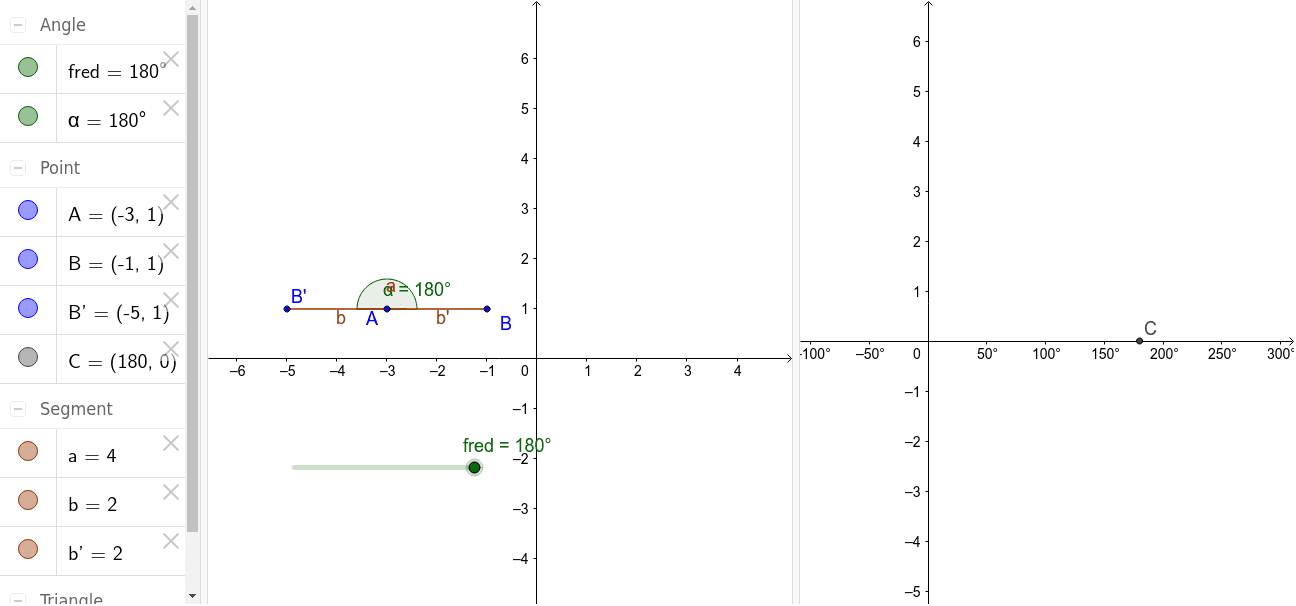
This example demonstrates how to dynamically find and calculate the maximum area of a triangle given its side lengths, involving core concepts like triangle area formulas, coordinate geometry, and optimization. It uses GeoGebra commands such as Rotate, Angle, and Polygon for construction. Suitable for high school and university-level mathematics education.
GeoGebra Commands & Parameters
Rotate(B, fred, A) → B'Angle(B, A, B') → αPolygon(A, B, B') → poly1, b', a, b
AI Drawing Prompt Reference
Draw a triangle with one side fixed, and the other two sides formed by rotating a point around the fixed side, showing the rotation angle. Connect the rotated point to the original point to form a new polygon, labeling the lengths of all sides and the angles, demonstrating how to find the maximum area of a triangle through rotation and optimization.
The prompt above was compiled from the original drawing commands and is for reference only.