
Magic Point 7: Controlling Point Movement between A and B via Slider
Loading the math board and drawing, please wait…
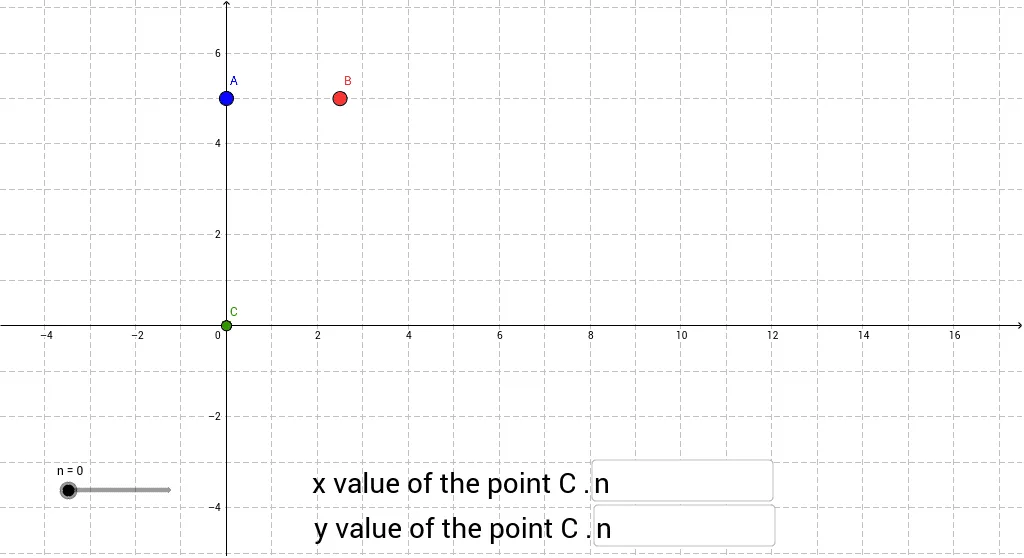
This GeoGebra example demonstrates how to dynamically move a point between two fixed points, A and B, by adjusting the algebraic definitions of its coordinates using a slider. The core mathematical concepts include coordinate geometry, parametric representation of straight line segments, and algebraic variable dependency. To construct this, the example utilizes GeoGebra commands such as `Textfield` and `If` for conditional logic and user interaction, alongside key objects like points A, B, and C, variables n, a, b, c, and input boxes `inputBox1` and `inputBox2`. It is highly suitable for high school or introductory college-level algebra and coordinate geometry courses, serving as an instructional tool for dynamic parameterization and geometric loci.
GeoGebra Commands & Parameters
Textfield(a) → inputBox1Textfield(b) → inputBox2If(b > 0, 0 * n + b, b) → c
AI Drawing Prompt Reference
First draw two fixed points on the canvas and connect them with a straight segment. Next, place a movable point on the segment whose position is driven by a parameter that can be adjusted with a slider. Add two input fields beside the slider so the user can type specific numeric values that also affect the point's coordinates. As the slider or the input values change, the point moves continuously along the line between the two fixed points, always staying on the segment.
The prompt above was compiled from the original drawing commands and is for reference only.