
Magic Point 5: Slider-Controlled Point Movement on Segment AB
Loading the math board and drawing, please wait…
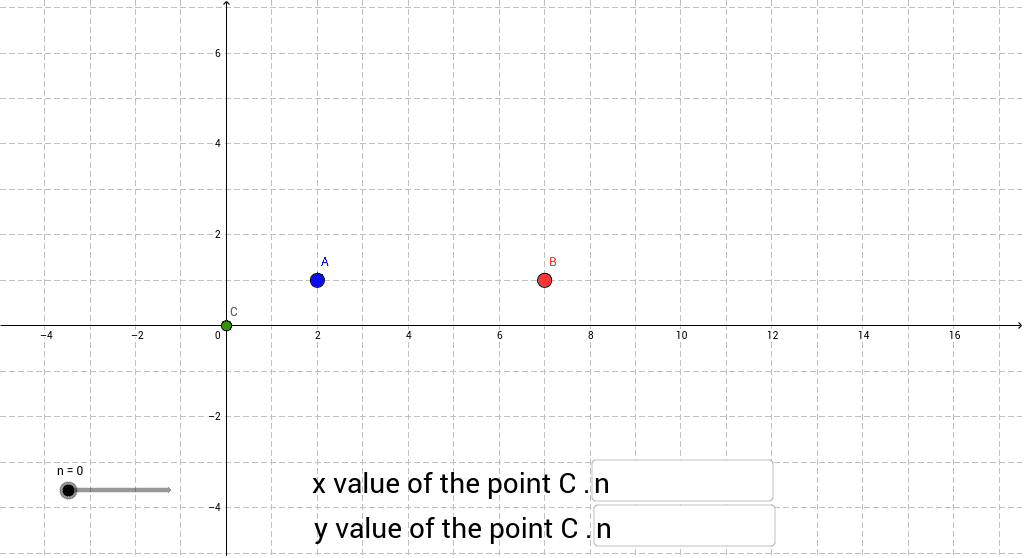
This GeoGebra example demonstrates how to use a slider to move a point C between two fixed points A and B by dynamically adjusting the point's coordinate definitions. It covers core concepts in coordinate geometry, including point coordinates, parametric representation of points on a segment, conditional logic using the If command, and basic arithmetic operations. The construction employs GeoGebra commands Textfield and If, with objects A, B, n, a, b, inputBox1, C, inputBox2, and c; input boxes and conditional statements define C's coordinates so that it interpolates or moves along AB as slider n changes. Suitable for middle and high school mathematics instruction, classroom demonstrations, and student exploration of dynamic loci and coordinate algebra.
GeoGebra Commands & Parameters
Textfield(a) → inputBox1Textfield(b) → inputBox2If(b > 0, 0 * n + b, b) → c
AI Drawing Prompt Reference
Draw a line segment in a coordinate plane with two fixed endpoints. Add a slider to control the position of a moving point on the segment, and add two input boxes for numeric parameters. Use the slider value and the input values to determine the moving point's coordinates through a conditional calculation, so that the point can move or interpolate along the segment between the endpoints. The result should be an interactive coordinate-geometry figure showing slider-controlled point movement on a segment.
The prompt above was compiled from the original drawing commands and is for reference only.