
Locus of a Moving Point and a Line Segment
Loading the math board and drawing, please wait…
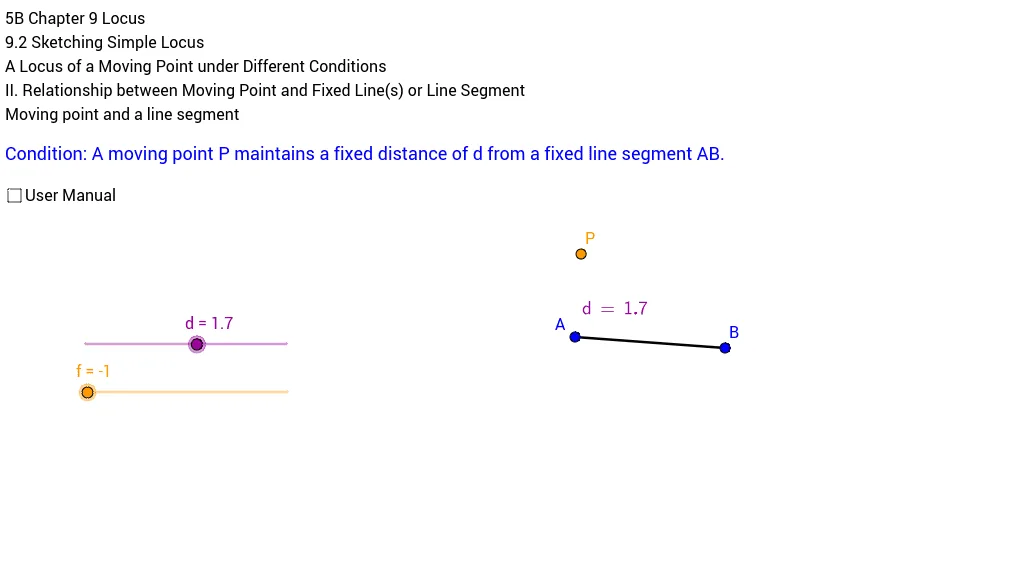
This example demonstrates the locus of a moving point and a line segment. Key mathematical concepts include locus, line segment, distance, and circle. Using GeoGebra commands such as Segment, OrthogonalLine, Distance, and Circle, the construction of the locus of a moving point and a line segment is illustrated. Suitable for high school mathematics education, particularly in coordinate geometry and locus problems.
GeoGebra Commands & Parameters
Segment(A, B) → aOrthogonalLine(A, a) → bDistance((1, 0), (2, 0)) → eOrthogonalLine(C, a) → rCircle(C, d) → qIntersect(q, r) → P', PCircle(A, d) → gOrthogonalLine(A, a) → iIntersect(g, i) → E, FCircle(B, d) → kOrthogonalLine(B, a) → lIntersect(k, l) → H, ISegment(F, I) → mSemicircle(I, H) → pSegment(H, P') → nSegment(F, P) → jSemicircle(E, F) → sDistance(P', a) → distanceP'aDistance(P', a) → hDistance(P, a) → distancePa
AI Drawing Prompt Reference
Draw the locus of a moving point and a line segment. Start by drawing line segment AB, then draw the perpendicular line b to AB. Calculate the distance between points (1,0) and (2,0) and use it as the radius to draw circle q. Use the intersection points P' and P of circle q and perpendicular line b to draw circle g and circle k, and then draw line segments m, semicircle p, line segments n and j, and line segments i and l. Finally, calculate the distances from P' and P to line segment AB to get distances h and distancePa.
The prompt above was compiled from the original drawing commands and is for reference only.