
Locating Decimals on a Number Line
Loading the math board and drawing, please wait…
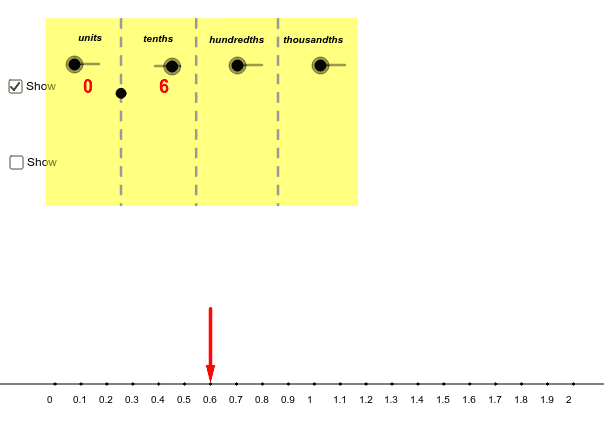
This example uses slider animation to demonstrate where decimals are located on a number line. Key mathematical concepts include the place value of decimals and their representation on a number line. Commands used include Sequence, Line, Vector, Polygon, Point, and Segment. Suitable for upper elementary or middle school students learning about decimals and number lines.
GeoGebra Commands & Parameters
Sequence(A + (linelength / numberofintervals * i, 0.0), i, 0.0, numberofintervals) → list1Line(A, xAxis) → aVector(W, Z) → uVector(W_2, Z_2) → vPolygon(V, A_1, B_1, C_1) → poly1, v_1, a_1, b_1, c_1Point(a_1) → E_1Point(a_1) → G_1Point(a_1) → I_1Segment(E_2, E_1) → bSegment(G_2, G_1) → cSegment(I_2, I_1) → d
AI Drawing Prompt Reference
Draw a number line with tick marks. Place two points at 0 and 1. Connect these points with a line segment to show the distance from 0 to 1. Mark some small points on the line to indicate fractional positions, such as 0.5. Ensure the number line is clear, with uniform ticks and simple lines.
The prompt above was compiled from the original drawing commands and is for reference only.